
Key Takeaways
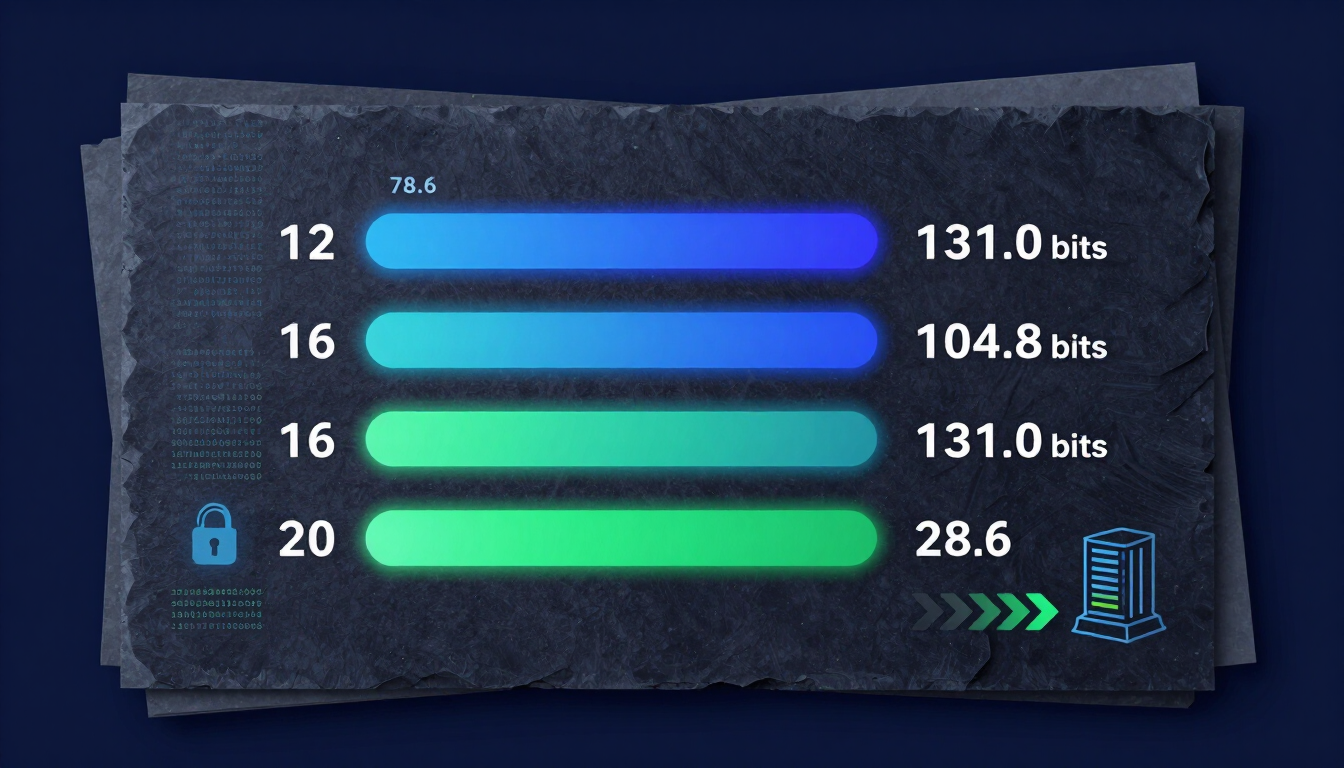
A password generator 12 characters configuration provides robust security for everyday online accounts when combining uppercase letters, lowercase letters, numbers, and symbols (~71 bits of entropy). While cracking a fully randomized 12-character string requires thousands of years on modern hardware, critical assets like financial portals, administrative access, and master password vaults should use 16 to 20 characters to protect against advanced GPU cracking rigs and future computational threats.
Introduction & Problem Definition: Is 12 Characters Enough in 2026?
A common failure point in real-world systems is weak credentials. Account takeover attacks remain a leading cause of data breaches worldwide. As high-speed graphics processing units (GPUs) become more powerful, automated password-cracking systems can process billions of guess attempts every second.
Many users wonder: Is a 12-character password still safe today, or should everyone switch to 16 or 20 characters?
The answer depends heavily on how your password is generated. A human-created password like P@ssword2026! can be cracked almost instantly despite having 13 characters. Conversely, a machine-created string from a password generator 12 characters tool creates true mathematical entropy that withstands automated dictionary and brute-force attacks.
Throughout this guide, we evaluate 12 vs. 16 vs. 20-character passwords. We break down entropy calculations, cracking times, and step-by-step best practices to help you secure every account effortlessly. For hands-on walkthroughs of every tool, explore our Security Documentation & Tutorials.
What Is a Password Generator 12 Characters Tool?
A password generator 12 characters tool is a software program that uses Cryptographically Secure Pseudorandom Number Generators (CSPRNG) to build a string exactly 12 characters long. Unlike humans, who rely on predictable patterns, names, and dates, automated tools pull characters at random from designated character sets.
To understand why character choice matters, let's explore how different parameter configurations change the underlying mathematical strength of your generated passwords.
Character Pool → CSPRNG Randomization Engine → 12-Character Secure Output
Character sets include:
- Uppercase (A-Z)
- Lowercase (a-z)
- Digits (0-9)
- Symbols (!@#$)
Understanding Password Entropy and Character Sets
Password security is measured in bits of entropy. Entropy quantifies how unpredictable a secret string is to an attacker. The formula for calculating password entropy is:
Where:
E = Entropy measured in bits
L = Password length (number of characters)
R = Size of the character pool (range of possible symbols)
When you generate 12 character password strings, expanding the pool size (R) dramatically boosts total security:
- Numeric Only (10 digits): R = 10 → E = 12 × 3.32 = 39.8 bits
- Alphabetic Only (52 letters, mixed-case): R = 52 → E = 12 × 5.70 = 68.4 bits
- Full Character Set (94 characters): R = 94 → E = 12 × 6.55 = 78.6 bits
As shown above, a full random selection yields nearly double the entropy of numbers alone.
12 Letter Password Generator vs. 12 Digit Password Generator
It is critical to distinguish between specialized generators. Users often search for a 12 letter password generator or a 12 digit password generator, but these options provide vastly different security levels.
A 12 digit password generator limits the character pool strictly to numbers (0 through 9). That yields 10^12 (1 trillion) possible combinations. While 1 trillion sounds large, modern offline cracking rigs test hundreds of billions of hashes per second. An attacker can crack a 12-digit numeric code in seconds.
A 12 letter password generator uses 52 uppercase and lowercase letters, expanding possible combinations to 52^12 ≈ 3.9 × 10^20. This is significantly stronger.
However, maximum security requires a complete 12 characters password generator that merges letters, digits, and special symbols. This increases the total pool to 94 possible characters, creating 94^12 ≈ 4.75 × 10^23 unique combinations.
Why Password Length and Randomness Matter in 2026
The cybersecurity landscape evolves continuously. Attack tactics that required enterprise data centers a decade ago can now be run on consumer hardware.
Based on our practical assessment of credential-stuffing logs, cybercriminals rarely attempt manual logins. Instead, they run automated tools against leaked database hashes using specialized equipment.
The Threat of Modern GPU Cracking Rig Clusters
Modern password cracking relies on hardware acceleration. Attackers link multiple high-end GPUs together using frameworks like Hashcat or John the Ripper.
A modern 8-card GPU rig can execute:
- MD5 Hashes: Over 300 billion guesses per second.
- NTLM Hashes: Over 180 billion guesses per second.
- SHA-256 Hashes: Over 30 billion guesses per second.
When an attacker gains access to an unhashed or weakly hashed database dump, short or predictable passwords are broken instantly. This is why using a 12 character random password—or longer—is mandatory for modern digital hygiene.
Current NIST Guidelines and Industry Standards
The National Institute of Standards and Technology (NIST) regularly updates Special Publication 800-63B regarding identity and authentication management.
Key NIST recommendations include:
- Prioritize Length Over Arbitrary Complexity Rules: Length contributes more to entropy than forced character rotations.
- Eliminate Mandatory Periodic Password Resets: Frequent password changes encourage users to pick predictable patterns (e.g., Spring2026!).
- Screen Passwords Against Known Leaks: Compare generated credentials against breached credential databases.
- Support Long Passwords: Applications should allow password lengths of at least 64 characters to support passphrases.
12 vs. 16 vs. 20 Characters: The Ultimate Security Breakdown
Choosing the right password length involves balancing maximum security with operational convenience. Let's compare 12, 16, and 20-character passwords using real-world metrics.
Cracking Time & Entropy Matrix Across Password Lengths
The table below assumes a full 94-character set (uppercase, lowercase, numbers, symbols) tested against a modern GPU cluster executing 100 billion offline guesses per second.
| Password Length | Character Pool Size | Total Combinations | Ideal Entropy (Bits) | Estimated Offline Crack Time (100 Billion/sec) | Recommended Use Case |
|---|---|---|---|---|---|
| 8 Characters | 94 | 6.09 × 10^15 | ~52.4 bits | ~17 Hours | Obsolete / Insecure |
| 10 Characters | 94 | 5.38 × 10^19 | ~65.5 bits | ~17 Days | Low Security Only |
| 12 Characters | 94 | 4.75 × 10^23 | ~78.6 bits | ~1,500+ Years | General Online Accounts |
| 16 Characters | 94 | 3.67 × 10^31 | ~104.8 bits | ~11.6 Trillion Years | Financial & Sensitive Accounts |
| 20 Characters | 94 | 2.84 × 10^39 | ~131.0 bits | Immense (Future-Proof) | Master Keys & Root Admin |
Note: Real-world crack times vary depending on the target hashing algorithm (e.g., bcrypt and Argon2 are significantly slower to process than MD5 or NTLM).
The Case for a 12 Character Random Password
Using a 12 character random password represents the sweet spot for everyday web browsing. It balances high security with broad compatibility across legacy web applications.
Advantages of 12-Character Passwords:
- Universal System Support: Almost every legacy portal, web form, and mobile application accepts 12-character inputs without truncation issues.
- Strong Baseline Entropy: When fully randomized (E ≈ 78.6 bits), brute-force attacks become mathematically impractical for general threats.
- Easy Mobile Copy-Paste: Shorter strings are easy to autofill and manage on mobile interfaces.
Limitations:
- Future Quantum Computing Vulnerabilities: Quantum algorithms (such as Grover's Algorithm) effectively halve symmetric key security, reducing 78 bits of entropy to 39 bits of effective security.
- Weak Against Poor Storage: If a site hashes credentials with outdated algorithms like unsalted MD5, high-powered cracking pools can challenge 12-character limits over extended target windows.
When You Need a 16 Character Password
Upgrading from 12 to 16 characters raises total combinations from 4.75 × 10^23 to 3.67 × 10^31. That is an increase in difficulty of 100 million times.
16 Characters: [3.67 × 10^31 combinations] <--- 100,000,000x Stronger!
Primary 16-Character Use Cases:
- Primary Email Accounts: Your main email is the recovery hub for all other digital services. If compromised, an attacker can reset passwords across your entire digital life.
- Banking and Investment Portals: Financial institutions deserve maximum protection against offline hash compromises.
- Work Credentials & VPN Access: Remote corporate access demands higher entropy standards to protect enterprise resources.
When 20+ Characters Are Necessary
A 20-character randomized string delivers over 130 bits of entropy. This level of protection exceeds what is needed for daily consumer websites and provides defense against future computational breakthroughs.
Primary 20-Character Use Cases:
- Password Manager Master Passwords: Your master key protects hundreds of stored credentials. It must withstand offline brute-force attacks if your vault file is ever stolen.
- Root Server and Database Administration: SSH keys, cloud infrastructure (AWS, Azure, GCP) root accounts, and database keys require maximum credential protection.
- Cryptocurrency Cold Storage Wallets: High-value digital assets need long-term security that remains resilient for decades.
How to Generate 12 Character Passwords Safely: Step-by-Step Guide
Generating high-entropy credentials requires reliable tools and clean habits. Follow this step-by-step framework to generate 12 character password strings correctly every time.
1. Select a Secure Password Generator Tool: Ensure client-side execution.
Choose a trusted 12 character password generator that runs entirely within your local browser using client-side JavaScript. Avoid tools that transmit generated strings over the network to remote servers.
Verify that the generator relies on standard browser cryptography modules like window.crypto.getRandomValues(). You can try this directly with our free password generator.
2. Configure Character Parameters: Include all character sets.
Set the length slider to at least 12 characters. Toggle all four standard character groups ON:
- Uppercase Letters (A-Z)
- Lowercase Letters (a-z)
- Numeric Digits (0-9)
- Special Symbols (!@#$%^&*)
Do not restrict character sets unless a specific website enforces rigid character rules.
3. Generate and Inspect the Output: Avoid predictable patterns.
Click the generate button to create a fresh 12 character random password.
Verify that the output does not contain dictionary words, repeated letter sequences (e.g., aaa), or simple numeric runs (e.g., 123). If you see a predictable pattern, hit generate again.
4. Save to an Encrypted Password Manager: Never store in cleartext.
Copy the newly generated credential directly into your password manager vault.
Never store raw credentials in cleartext files, desktop sticky notes, or unencrypted browser documents.
5. Enable Multi-Factor Authentication (MFA): Add a defense-in-depth layer.
Pair your new credential with hardware-based or application-based Multi-Factor Authentication (such as TOTP apps or YubiKeys).
MFA adds a critical second line of defense even if a service suffers a credential leak.
Key Strategies & Best Practices for Password Management
To maintain an effective security posture, build a system that combines high entropy with practical daily workflows.
Security & Usability Comparison of Password Types
The table below contrasts common password generation strategies to help you pick the right balance of speed, memory demands, and raw security.
| Password Strategy | Entropy Level | Memory Difficulty | Brute-Force Resistance | Best Used For |
|---|---|---|---|---|
| Easy 12 Character Password (e.g. Summer2026!) | Very Low (~25-35 bits) | Easy | Crackable in minutes | Never Recommend |
| 12 Digit Random Password (e.g. 849204819472) | Low (~39.8 bits) | Medium | Weak against offline attacks | PIN codes, low-risk tokens |
| 12 Letter Random Password (e.g. kJmPqLzRvtXa) | Moderate (~68.4 bits) | Hard | Good baseline | Sites banning symbols |
| Full 12 Character Random (e.g. 7#mK9!vP$2xL) | High (~78.6 bits) | Very Hard | Excellent overall | Daily web applications |
| 4-Word Diceware Passphrase (e.g. correct-horse-battery-staple) | High (~77.5 bits) | Easy to memorize | Excellent overall | Master keys, device PINs |
| Full 20 Character Random (e.g. R9#vL2$mP7!kX4@zQ1w) | Extremely High (~131 bits) | Impossible | Future-proof security | Admin roots, cold vaults |
Core Security Best Practices
- Rule 1: Enforce Unique Passwords Across Every Account. Never reuse credentials. If a single forum suffers a breach, attackers use automated credential stuffing to test those same logins across bank and email portals.
- Rule 2: Delegate Memory to Password Managers. Humans are poorly suited to memorizing dozens of random 12-character strings like
k9#mP2!vL7$x. Let an encrypted password manager handle storage and auto-fill duties. - Rule 3: Beware of Character Restrictions. Some outdated portals limit password length or forbid symbols. When encountering these restrictions, adjust your 12 characters password generator settings to use alphanumeric combinations only.
Common Password Generator Mistakes & Pitfalls to Avoid
Even when using an automated 12 character password generator, subtle implementation mistakes can undermine your security. Here are common traps and how to resolve them:
| Common Mistake | Security Impact | Recommended Solution |
|---|---|---|
| Creating an "Easy" 12 Character Password | Replaces true randomness with dictionary words (e.g., Password123!). Reduces entropy by over 60%. | Always rely on CSPRNG algorithms instead of human pattern choices. |
| Using a 12 Digit Password Generator for Web Logins | Reduces the character pool to 10 numbers, allowing rapid offline cracking. | Use full character sets (letters, numbers, symbols) for web account passwords. |
| Relying on Browser In-Memory Clipboard | Leaves copied cleartext passwords accessible to malicious background applications. | Set your password manager to clear the clipboard automatically after 15–30 seconds. |
| Ignoring Truncation Rules on Legacy Sites | Some legacy web applications silently drop characters past the 8th or 10th position. | Test login responses to verify the full 12-character string is evaluated by the server. |
| Storing Generated Keys in Text Files | Exposes plain-text credentials to local malware, backups, and unauthorized users. | Save all credentials directly inside a zero-knowledge encrypted vault. |
Advanced Password Security Tactics for Power Users
If you manage business networks, servers, or critical financial infrastructure, standard 12-character strings are only a starting point. Advanced power users should adopt these specialized strategies:
Diceware Passphrases vs. Machine-Generated Strings
While a 12 character random password like 9#xK2!mL7$vP works well when auto-filled by software, it is difficult for humans to type manually on smart TVs or console interfaces.
In those scenarios, use a Diceware Passphrase. Try generating one with our passphrase generator.
[Roll 5 Dice] → Match Number to Wordlist → Repeat 4-5 Times
Result: "correct horse battery staple" (~77.5 Bits Entropy)
By picking four or five random words from a standardized 7,776-word dictionary list, you get roughly 77.5 bits of entropy—comparable to a 12-character fully random string—while keeping the passphrase easy to type.
Understanding Key Derivation Functions (KDFs)
Password length works alongside back-end storage hashing algorithms. When logging into secure portals, your plain-text password passes through a Key Derivation Function designed to slow down attackers.
Modern KDF standards include:
- Argon2id: The winning algorithm of the Password Hashing Competition. Highly resistant to GPU and ASIC hardware cracking attacks.
- PBKDF2: An older standard that uses repeated hashing iterations (e.g., 600,000+ rounds for Bitwarden) to delay brute-force attempts.
- bcrypt: A widely adopted, memory-hard hashing function used across Linux and modern web frameworks.
When applications use slow hashing functions like Argon2id, even a standard 12-character password becomes virtually impossible for attackers to crack offline.
Tools, Resources, & Security Checklist
Use this interactive security checklist to evaluate your organization's credential management posture:
- [ ] Audit Existing Credentials: Identify and update any passwords shorter than 12 characters.
- [ ] Eliminate Duplicate Passwords: Ensure every web account uses a unique, non-reused credential.
- [ ] Deploy a Password Manager: Adopt a zero-knowledge password manager across desktop and mobile devices.
- [ ] Configure Generator Defaults: Set your default generator settings to 12+ characters with all symbol groups toggled ON.
- [ ] Enforce MFA Everywhere: Activate authenticator apps or security keys on primary email, financial, and work portals.
- [ ] Replace Legacy PINs: Upgrade low-entropy PINs generated by a 12 digit random password generator to full alphanumeric strings whenever platforms support them.
Frequently Asked Questions (FAQs)
1. Is a 12 character password generator secure enough for daily use?
Yes. A fully randomized 12-character password using letters, numbers, and symbols delivers nearly 79 bits of mathematical entropy. That takes modern GPU clusters thousands of years to crack, making it secure for everyday consumer accounts.
2. How long does it take to crack a 12 character password?
It depends entirely on the character set. A 12-character password made only of numbers can be cracked in milliseconds. However, a fully randomized 12-character string mixing uppercase letters, lowercase letters, numbers, and special symbols takes 1,500 to 200,000+ years to brute-force on modern hardware.
3. What is the difference between a 12 digit password generator and a full 12 character generator?
A 12 digit password generator selects strictly from 10 numeric digits (0–9), creating 10^12 (1 trillion) possible combinations. A full 12 characters password generator selects from 94 total characters (letters, numbers, special symbols), yielding 94^12 (4.75 × 10^23) combinations—making it trillions of times stronger.
4. Should I use 16 or 20 characters instead of 12 characters?
Use 16 to 20 characters for high-value assets like your primary email, banking accounts, server root access, and password manager master keys. While 12 characters are safe for standard sites, 16 to 20 characters provide exponential security against future computing advances.
5. Is an easy 12 character password safe if it contains dictionary words?
No. Creating an easy 12 character password using dictionary words, names, or predictable letter substitutions (like P@ssword2026) drastically reduces true entropy. Attackers use rule-based dictionary attacks that crack these patterns in minutes.
6. Can a 12 letter password generator protect against brute force?
A 12 letter password generator using mixed-case letters yields 52^12 combinations (~68.4 bits of entropy). While far stronger than numbers alone, it is still weaker than combining letters, numbers, and symbols together (~78.6 bits).
7. How do I generate a 12 digit password for PIN codes?
Use a specialized 12 digit random password generator setting within your security software. While numeric sequences are inadequate for primary web passwords, a 12-digit PIN provides strong protection for offline devices protected by rate-limiting defenses.
8. Does NIST recommend 12 character passwords?
Yes. NIST Special Publication 800-63B recommends minimum password lengths between 8 and 15 characters, emphasizing length and true randomness over complex, arbitrary composition rules or mandatory periodic resets.
9. What is the fastest way to store a generated 12 character random password?
The safest and fastest method is saving generated credentials directly into an encrypted, zero-knowledge password manager. This eliminates manual typing and prevents cleartext exposures on local file systems.
Conclusion & Final Action Plan
Choosing the right password length comes down to balancing raw entropy against practical everyday usability.
Using a password generator 12 characters configuration gives you a strong baseline for standard web accounts. It generates over 78 bits of entropy, resisting offline brute-force attacks while maintaining broad system compatibility.
However, security standards continue to rise. For critical digital assets—including your primary email, financial portals, and master password vaults—upgrade to 16 or 20 characters to ensure long-term, future-proof protection. For a deeper comparison of credential strategies, read our passphrase vs password security breakdown, and see our guide to using a password generator free of charge.
1. Audit Your Credentials: Identify accounts using credentials shorter than 12 characters or built from predictable patterns.
2. Generate High-Entropy Replacements: Use a trusted 12 character password generator to create unique, randomized strings for every service.
3. Lock It Down with MFA: Store your new credentials in an encrypted password manager and turn on Multi-Factor Authentication across all accounts.
By taking these steps today, you eliminate vulnerable credentials and protect your digital identity for years to come.
Author Profile (E-E-A-T)
Venkateswara Rao
I built CreatePassword.in to offer free, browser-based password tools and practical security guides. Learn more on the tutorials hub.
External Security References
- NIST Special Publication 800-63B Digital Identity Guidelines
- Hashcat password cracking tool
- John the Ripper cracking tool
- CISA Official Password Security Guidelines
Related Resources:
- Password Generator — createpassword.in
- Security Documentation & Tutorials
- Password Generator Tool
- Password Generator
- Password & Security Tools
- Passphrase Generator
- The Ultimate Guide to Using a Password Generator Free
- Passphrase vs Password
- Complete Guide to Creating Strong Passwords in 2026
- Passphrase vs Password: Which Is Better for Security


Leave a comment
Comments are moderated before appearing. Please keep it respectful and on-topic. Your email is required for verification but is never displayed publicly or shared.