
To create a password that holds up, do not invent one. Use a random password generator for a long, unique string, or a random passphrase when you must remember it. Store it in a password manager, and do not reuse it.
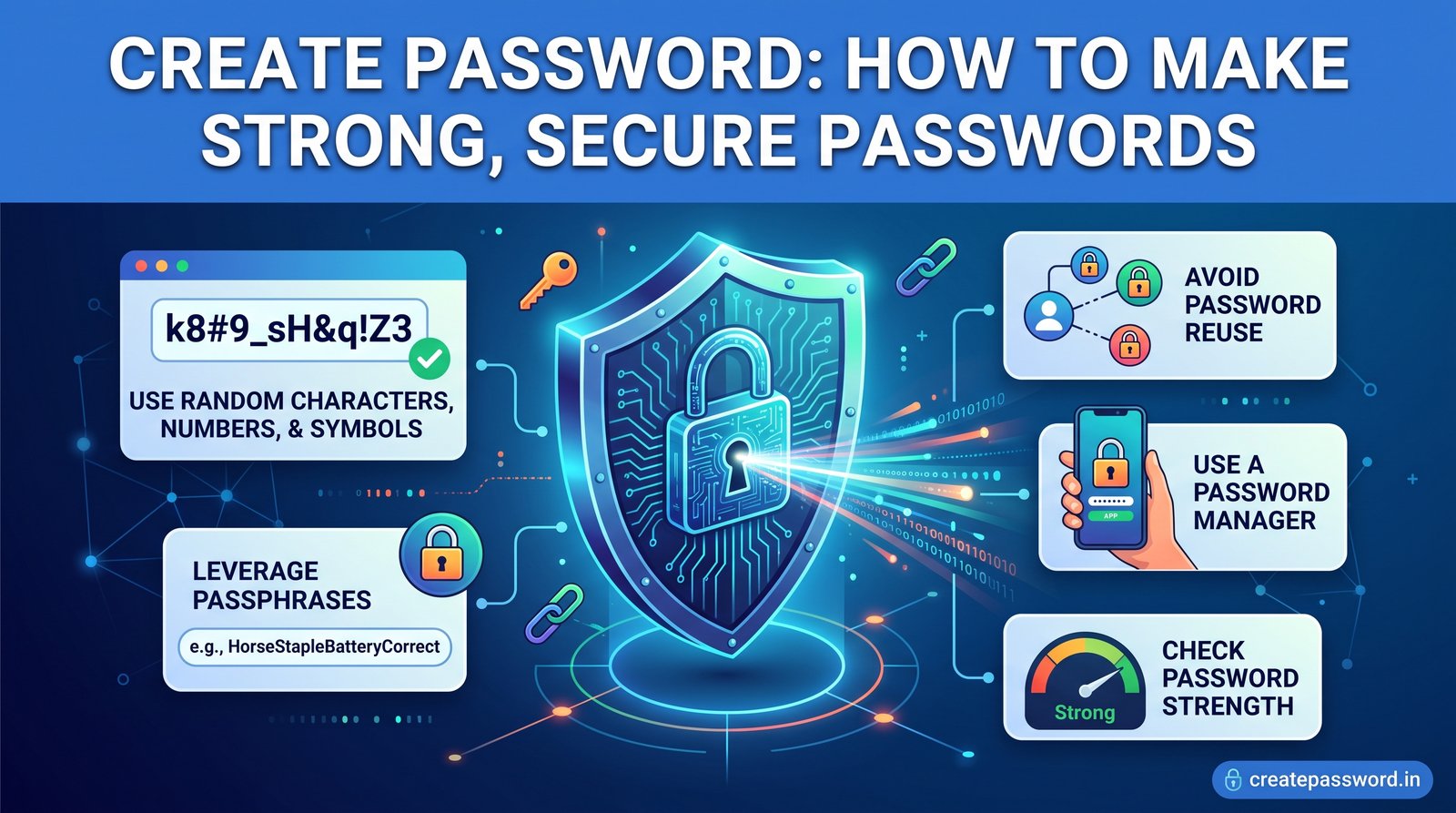
People search “create password” at the exact moment a signup form is waiting. They need a strong password now, not a lecture. This guide answers that first, then shows how to create a strong password, how to create a secure password you can actually keep, and how to check that it is not already public.
The advice below follows the direction of NIST SP 800-63B and the OWASP Authentication Cheat Sheet: length and uniqueness over cute substitutions, no forced periodic resets, and screening against known-compromised passwords.
Create a Password in Under a Minute
If you only do one thing, do this:
- Open the strong password generator (also linked from create password).
- Set the length to 16 or more. Use 20 or more for email, banking, and work.
- Keep uppercase, lowercase, numbers, and symbols on unless the site forbids a class.
- Copy the result into a password manager. Do not email it or save it in a notes app.
- Turn on multi-factor authentication on that account.
That is how to generate a password that is random, unique, and long enough that guessing is the wrong attack. The generator runs in your browser with crypto.getRandomValues. The password is not sent to createpassword.in.
What “Strong” and “Secure” Actually Mean
A secure password is not a word with a capital and an exclamation mark. Strength is unpredictability. Security is that unpredictability plus how you use the secret.
- Random: each character (or each word, for a passphrase) is chosen by a cryptographic generator, not by you.
- Long: length multiplies the search space. A short “complex” password is still a small search space.
- Unique: this account has a password that no other account uses.
- Unexposed: the exact string is not already in a public breach list.
- Protected in use: it lives in a password manager, and the account has a second factor.
You can have a mathematically strong password and still lose the account if you reuse it, type it into a phishing page, or store it in a shared spreadsheet. Password security is the whole habit, not the string alone.
How to Create a Strong Password
Human brains are bad at randomness. When people try to create strong password strings by hand, they capitalize the first letter, swap a for @, and end with a year. Attackers’ wordlists already include those patterns. P@ssword2026! looks busy and fails quickly.
1. Let software choose the characters
A secure password generator draws from the operating system’s cryptographic random source. That is the difference between a random password and a password that only looks random. Our online password generator is a best password generator for this job only in the sense that it stays on your device: you can confirm in the browser Network tab that the password is not uploaded.
2. Prefer length
For machine-stored secrets, 16 characters is a practical floor. 20 to 32 is better when the site allows it. A 16-character random password from a large character set has far more combinations than an 8-character password packed with symbols. If a site caps length, use the maximum it accepts and add MFA.
3. Match the site’s rules without shrinking the secret
Some forms still demand a number and a symbol. Turn those classes on in the generator. Do not shorten the password to make the rule easier. Exclude look-alike characters (0, O, 1, l) only if you must type the password by hand.
4. Make it a unique password
One leak plus reuse is how a forum breach becomes an email takeover. Every account gets its own secret. A password manager is what makes a unique password for every site realistic. Generating once and pasting the same string everywhere cancels the generator.
5. Check it, then stop editing it
Run a local password checker if you want a strength reading. Then run the password breach checker so you are not saving a string that is already public. Do not “improve” a random password by inserting your birthday. That edit makes it more guessable, not less.
Create a Secure Password You Can Remember
You should memorize very few secrets: the password-manager master key, your device login, and maybe your primary email. For those, create a password as a passphrase instead of a symbol string.
A passphrase is several words chosen at random from a large word list, separated by spaces or hyphens. Four to six words is the usual range. Five or six is the better target for a master key. The words must be random. A sentence you composed (“MyDogLoves2Run!”) is not a passphrase. It is a password idea, and it is guessable.
Use the passphrase generator when you need something you can type. Use the character generator when software will store and fill the secret. A longer comparison is in passwords vs passphrases.
Password Ideas: Use the Style, Never the Example
Search results for password ideas are full of sample strings. Treat every published example as compromised. If it is on a webpage, it can be copied into a wordlist the same day.
What you can copy is the shape, not the characters:
- Vault and daily accounts: a long random string from a generator. You never need to remember it.
- Master key: random words you can picture, not a quote, lyric, or keyboard walk.
- Sites with odd rules: still random, trimmed only to the site’s maximum length, with the required character classes included.
Do not build passwords from your name, street, pet, team, or the current year. Those are the first guesses, not creative ideas.
Random Password Generator vs Typing Your Own
| Method | When to use it | Watch-out |
|---|---|---|
| Random password generator | Email, banking, shopping, work apps, social accounts | Save it in a manager immediately. A random string you cannot retrieve is a lockout. |
| Random passphrase | Master password, device login, disk encryption | Words must be randomly selected, not a sentence you wrote. |
| Hand-made “complex” password | Almost never | Patterns like capital + word + year + symbol are already in cracking lists. |
| Reused favorite password | Never | One breach exposes every account that shares it. |
To create random password values in bulk, for a new job or a set of test accounts you control, use the bulk password generator and import the results into a vault. Do not leave the list in a download folder.
How to Make a Secure Password for Each Kind of Account
Email is the recovery key for everything else. Generate a secure password of 20 or more random characters, store it in your manager, and turn on MFA. If you must type it on a new phone before the manager is installed, use a long passphrase instead, still unique to that inbox.
Banking and payments
Unique, long, random, plus the strongest second factor the bank offers. Do not reuse a shopping password here. After you create it, confirm it is not in a breach list.
Work and school
Follow the organization’s length rules, but do not stop at the minimum if a longer password is allowed. Never reuse a personal password on a work account. A work breach should not open your bank, and a personal breach should not open your employer.
Social, shopping, and apps
These are where reuse usually starts, because the accounts feel low-stakes. They are not. A reused social password is a credential-stuffing gift. Generate a new password per app. The password generator tutorial walks through the controls if you want the longer version.
Wi-Fi and shared devices
A long random WPA passphrase is appropriate. Write it down for guests if you must, and keep that note out of photos and chat threads. Change it if it was shared more widely than you intended.
Password Strength: What to Measure
Password strength is an estimate of how hard a random guess would be, usually described as entropy. It is not a guarantee. A strength meter cannot see that you reused the password, and it cannot see a phishing site.
Use the password strength tool as a local check: length, character pool, and obvious patterns. A high score means “hard to guess if it was chosen randomly.” It does not mean “safe to reuse” and it does not mean “absent from breaches.”
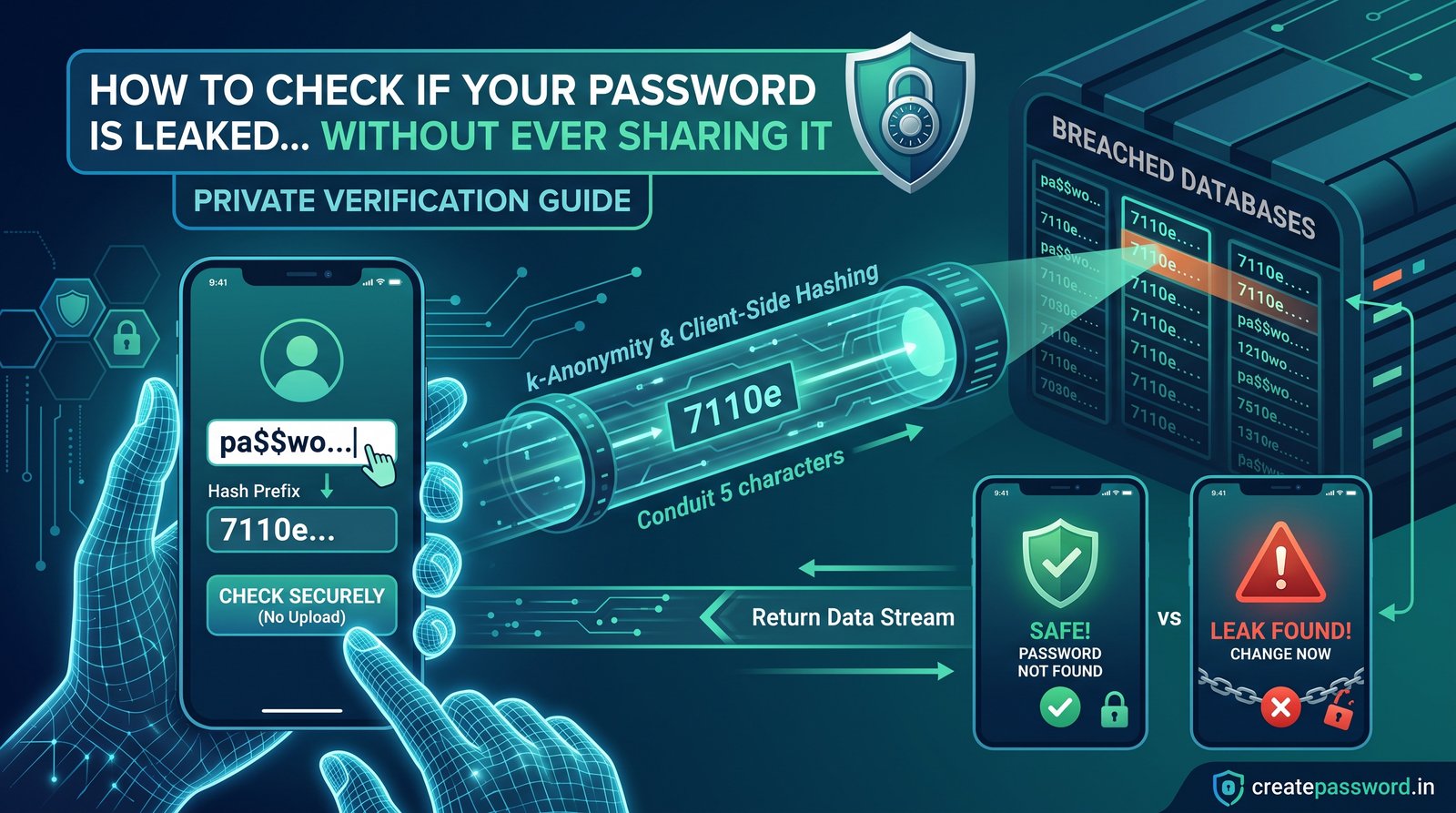
Pair it with the breach checker. Strength and exposure are different questions. The leaked-password guide explains why a proper check hashes the password on your device and sends only a short prefix.
Password Best Practices That Still Matter
- One account, one secret. Uniqueness beats a clever system of small variations.
- Use a password manager. It removes the reason people shorten and reuse passwords. Protect the vault with a passphrase you can remember and with MFA on the manager account.
- Turn on MFA. An authenticator app or a hardware key is stronger than SMS. A password plus a second factor survives many thefts of the password alone.
- Do not put passwords in email, chat, or screenshots. Those copies outlive the account.
- Change a password when there is a reason. A breach, reuse, or a shared login is a reason. A 90-day timer, by itself, is not.
- Skip security questions that are public facts. If a site forces them, use random answers stored in the manager, not your real first school.
- Prefer passkeys where the site offers them. A passkey is bound to the real domain, which blocks a common phishing trick. Keep a strong password or recovery method for accounts that do not support passkeys yet.
More of the same standard, with the math, is in the complete guide to strong passwords.
How This Online Password Generator Stays Private
An online password generator is only as safe as its data path. A page that generates the password on a server, logs the request, or asks you to create an account before showing the result is the wrong tool.
On createpassword.in, generation uses the browser Web Crypto API. You can verify it:
- Open the generator.
- Open DevTools and the Network panel.
- Generate and copy a password.
- Confirm the password does not appear in any request to this site.
Clipboard contents stay on your device, subject to your operating system. On a shared computer, clear the page and the clipboard when you are done. The generator’s session history is convenience only. It is not a vault.
A Worked Example (Do Not Reuse These)
These shapes show the difference. They are illustrations. Because they are published here, do not use them.
- Weak, hand-made: a pet name, a capital, and the year. Guessable, and reused everywhere.
- Better shape for a manager: 20 random characters from a generator, different on every site.
- Better shape for memory: five or six unrelated words from a word list, used only as a master key.
After you generate secure password output, the remaining work is storage and MFA, not more editing. If you want a second opinion on length, the strength tool is local. If you want to know whether that exact string is already famous, the breach checker is the right next click.
What to Do After You Create the Password
- Save it in the password manager before you close the tab.
- Sign in once to confirm the site accepted it.
- Enable MFA.
- If this replaced a reused password, change the other accounts that shared the old one.
- Delete any temporary copy in chat, email, or a screenshot.
That sequence is the practical version of how to make a secure password: random, unique, stored, and backed by a second factor.
Create Your Password Now
You do not need an account on this site to create a password. Use the password generator for a random string, the passphrase generator for a memorable master key, the strength checker for a local score, and the breach checker before you trust a secret you already have. All of them run in your browser.
Home Page
- createpassword.in — https://createpassword.in/
Tutorials
- Security tool tutorials — https://createpassword.in/tutorials
- Password generator tutorial — https://createpassword.in/tutorials/password-generator
Password Tools
- Strong password generator — https://createpassword.in/tools/password-generator
- Create password — https://createpassword.in/create-password
- Passphrase generator — https://createpassword.in/tools/passphrase-generator
- Password strength checker — https://createpassword.in/tools/password-strength
- Password breach checker — https://createpassword.in/tools/breach-checker
- All tools — https://createpassword.in/tools
Articles That Will Help You to Understand to Make Strong Passwords to Secure for Your Online Accounts
- The Complete Guide to Creating Strong Passwords in 2026 — https://createpassword.in/blog/complete-guide-strong-passwords-2026
- Passwords vs Passphrases: Which Is Better for Your Security? — https://createpassword.in/blog/passwords-vs-passphrases-which-is-better
- How to Check If a Password Is Leaked Without Sharing It — https://createpassword.in/blog/how-to-check-leaked-password-safely
- Password Security Best Practices Every User Should Know — https://createpassword.in/blog/password-security-best-practices


Leave a comment
Comments are moderated before appearing. Please keep it respectful and on-topic. Your email is required for verification but is never displayed publicly or shared.