
The best password ideas for WiFi use 15-character passphrases made of unrelated words, like Router!Coffee!Blue99. Combining funny or creative phrases with numbers and symbols secures your home network against hackers. A strong passphrase prevents neighbors from stealing your bandwidth and protects your connected smart home devices from cyberattacks.
- Use a 15-character passphrase of unrelated words — e.g.,
Router!Coffee!Blue99— to stop automated network attacks. - Mix funny or creative phrases with numbers and symbols so guests can hear the password while brute-force tools cannot crack it.
- Never share your primary WiFi password — put visitors on a separate guest network instead.
- Never reuse your WiFi password for Netflix, banking, email, or other accounts.
- Upgrade to WPA3 and disable WPS so a strong passphrase is not bypassed by outdated router features.
The State of Home Cybersecurity in 2026
Your home WiFi router is the front door to your digital life. Every smart TV, laptop, phone, and security camera in your house connects through this single device.
The IoT Botnet Threat
Hackers drive through neighborhoods scanning for weak WiFi networks in a process called wardriving. If your network uses a weak password like password123 or your phone number, they break in within seconds.
Once inside, they do not just steal your internet connection. They hijack your unsecured Internet of Things (IoT) devices—like smart lightbulbs, thermostats, or baby monitors. They use these devices to launch massive cyberattacks against other websites or spy on your local network traffic.
Defeating Network Brute-Forcing
Modern routers broadcast a signal constantly. Cybercriminals use automated artificial intelligence tools to guess thousands of passwords a minute against that signal.
If you leave your router's default password (usually printed on a sticker on the back), hackers can look up that factory password in a public database. You must change the default password immediately to a long, 16-character passphrase to render brute-force attacks mathematically impossible.
Test how fast software can crack your current WiFi password with our Password Strength Checker Tool.
Categorized Password Ideas for WiFi
A WiFi password needs to be secure against hackers, but you also have to dictate it to friends and family visiting your home. Passphrases offer the perfect balance. They are long enough to stop computers but use real words that humans can easily speak aloud.
Here is a categorized list of password ideas for WiFi. Do not copy these exactly. Use these examples as structural inspiration for your own home network.
Funny & Aggressive WiFi Passwords
Use humor to politely tell your neighbors to stop trying to use your internet. Mix these phrases with symbols for high security.
| Base Idea | Secure Variation | Why It Works |
|---|---|---|
| Get Your Own | G3t!Y0ur!0wn!W1F1 | Replaces vowels with numbers, clearly communicates a message. |
| FBI Surveillance | FB1!V@n!Numb3r!04 | A classic joke made secure with length and symbols. |
| Not Free Internet | N0!Fr33!W3b!H3re99 | Easy to spell out loud for guests, stops brute-force tools. |
| Use Cellular Data | Us3!Y0ur!D@ta!Plz | Long, sarcastic, and uses natural punctuation as symbols. |
Aesthetic & Welcoming Passwords
If you host guests frequently, you might want a password that sounds pleasant but remains mathematically secure.
- Coffee Theme:
Fr3sh!C0ffee!M0rning26 - Cozy Home:
W@rm!H0me!S@fe!Sp@ce - Nature Vibe:
Gr33n!Pl@nts!Sunl1ght - Ocean Breeze:
S@lty!@ir!C0ld!W@ves77
The Guest Network Strategy
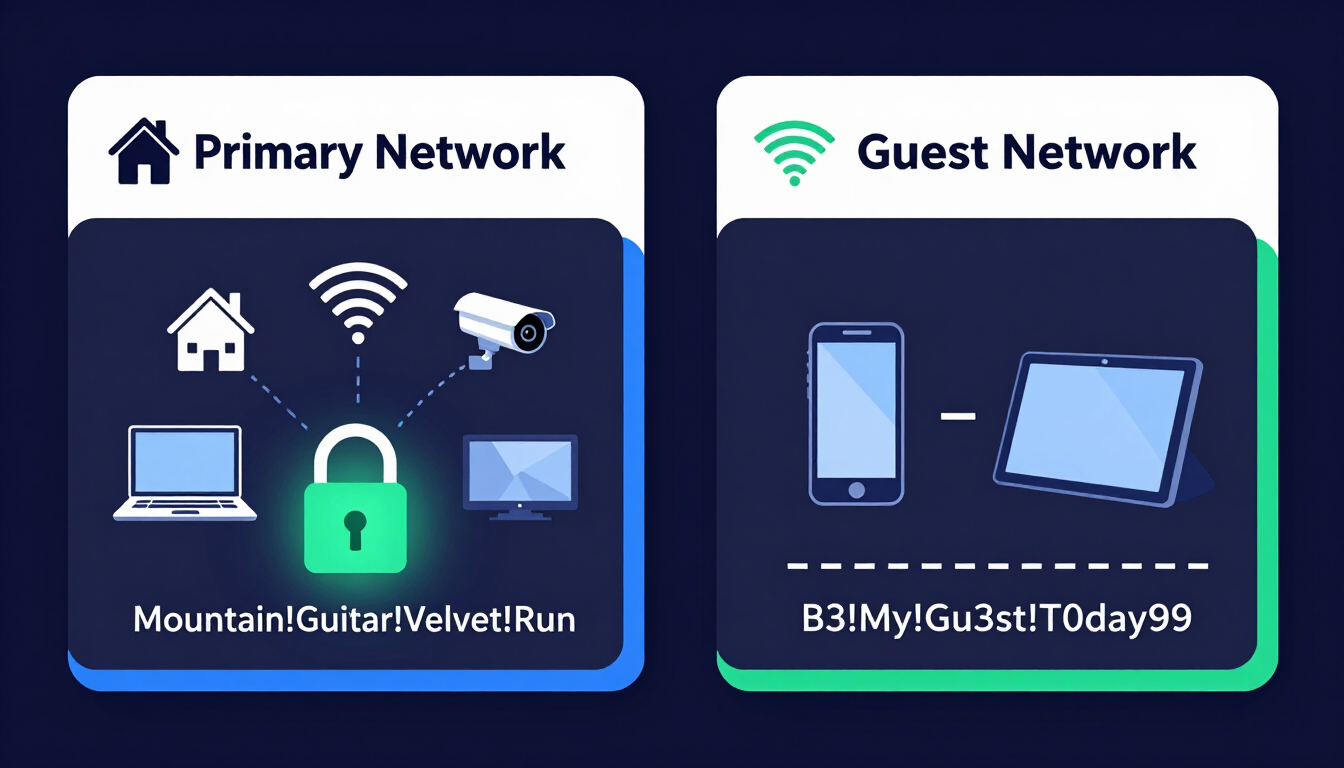
You should never give your primary WiFi password to guests or house sitters.
Most modern routers allow you to enable a Guest Network. This creates a separate WiFi signal. Guests can access the internet, but they cannot see your personal laptops, shared hard drives, or smart home controls.
- Primary Network Idea:
Mountain!Guitar!Velvet!Run(Never shared) - Guest Network Idea:
B3!My!Gu3st!T0day99(Shared freely)
The Golden Rule: Never Reuse a Password
Reusing your passwords is the biggest mistake you can make with your home network.
Never make your WiFi password the same as your Netflix, your banking app, or your email. If a houseguest connects to your WiFi, their phone now has your password saved. If their phone is compromised, or if you accidentally give the password to a malicious neighbor, your other accounts are instantly at risk.
Treat your home network credential as a completely isolated, unique key.
How to Use a Client-Side Password Generator Safely
Your router actually has two passwords. One is the WiFi password you use to connect. The other is the Admin Password you use to change the router's settings.
The Admin password must be incredibly complex. A client-side password generator builds these unbreakable administrative passwords safely.
- Offline Processing: The password generates entirely within your device's browser. It never travels to an external server.
- Total Secrecy: Hackers cannot intercept the password over the network because the generation script runs locally.
- Maximum Entropy: You can generate a 25-character string of random letters, numbers, and symbols (e.g.,
xH9$mP2@qL5#vN8*bC1!) to guarantee no one can log into your router's backend.
Generate a highly secure router admin password with our Random Password Generator Tool.
Why You Absolutely Need an Encrypted Password Manager
You cannot memorize a 25-character random string for your router admin panel, plus a 16-character passphrase for your WiFi, plus unique passwords for every online account.
A password manager solves this by acting as an encrypted digital vault.
Securing the Smart Home
You memorize one incredibly strong master passphrase to unlock the vault. The software securely stores the passwords for your router, your smart TVs, and your home security cameras.
Use our client-side generator to build massive passwords, store them in your secure manager (like 1Password, Bitwarden, or Dashlane), and access them instantly on your phone whenever you need to configure your network.
Find the best encrypted vault for managing home security with our Password Manager Guide.
The Final Layer: Upgrading to WPA3 and Disabling WPS
A strong password is your first line of defense. Proper router configuration is your final barrier.
1. Upgrade to WPA3 Security
When setting up your WiFi password, the router asks you to choose a security protocol. Never choose WEP or WPA. These are outdated and easily hacked.
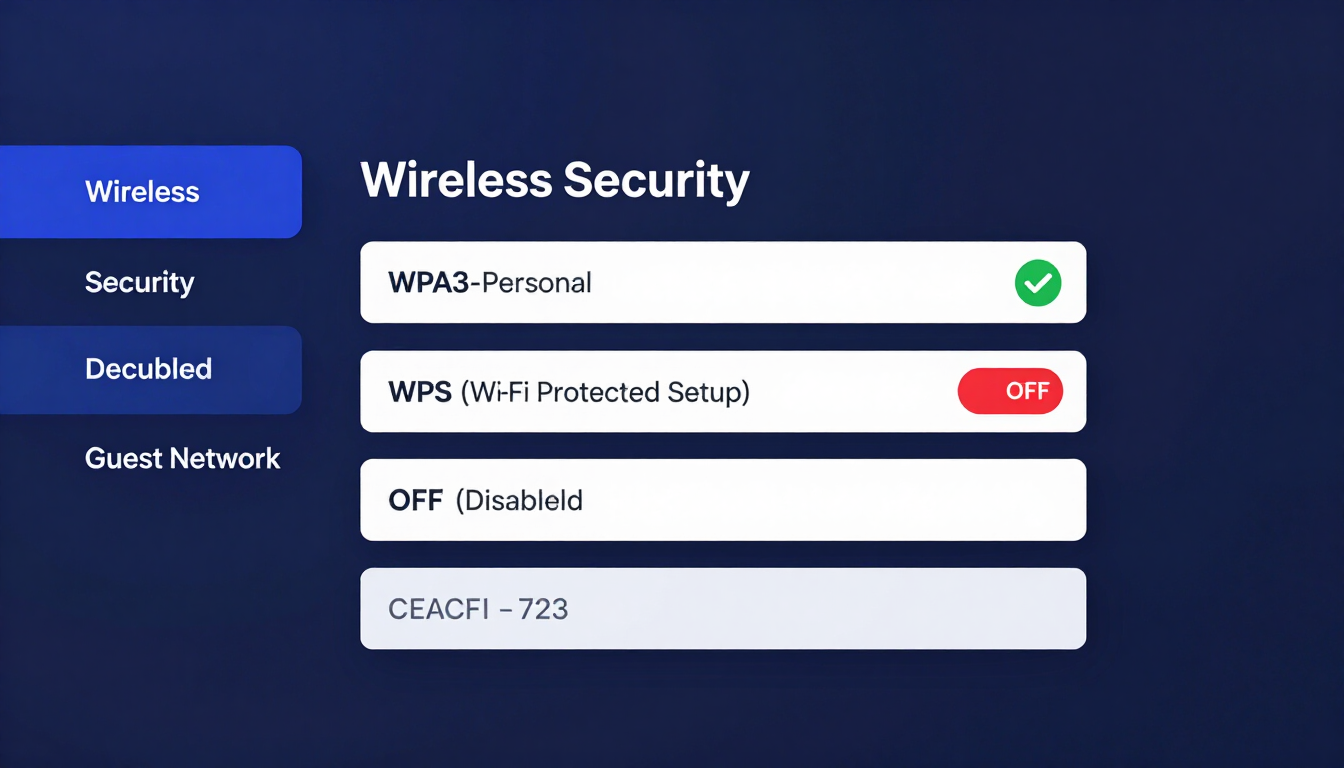
Always select WPA3 (Wi-Fi Protected Access 3). If your router is older, select WPA2-AES. WPA3 provides robust encryption that protects your data even if you use a slightly weaker password.
2. Disable WPS (Wi-Fi Protected Setup)
Many routers have a physical WPS button or a WPS PIN feature designed to make connecting easier. Turn this off immediately in your router's admin settings.
Hackers use automated tools to exploit the WPS PIN system. They can bypass your massive 16-character passphrase entirely by attacking the weak 8-digit WPS PIN. Disabling WPS permanently closes this backdoor.
Frequently Asked Questions
What makes a good password for WiFi?
A good WiFi password is a passphrase combining at least 15 characters of unrelated words, numbers, and symbols (e.g., C0ffee!M0untain!B1ke26). This creates a password that is easy to speak aloud to guests but mathematically impossible for automated software to crack.
Why shouldn't I use my phone number as my WiFi password?
Phone numbers are only 10 digits long and contain no letters or symbols. A hacker's brute-force software can guess every possible 10-digit phone number combination in a matter of minutes, granting them instant access to your home network.
What is the difference between a WiFi password and a router admin password?
The WiFi password allows devices to connect to the internet. The router admin password allows a user to change the network's name, view connected devices, and alter security settings. The admin password must be a completely random, highly complex string stored in a password manager.
Should I change the default password printed on my router?
Yes, immediately. Hackers compile databases of factory-default router passwords. If you leave the default password (e.g., admin123 or the string on the sticker), cybercriminals can look up your router model and break in instantly.
How do I change my WiFi password?
Open a web browser on a device connected to your network. Type your router's IP address (usually 192.168.1.1 or 10.0.0.1) into the address bar. Log in with your admin credentials, locate the "Wireless" or "WLAN" settings tab, and enter your new passphrase.
Can my neighbor steal my WiFi if they don't know the password?
Yes, if you leave the WPS (Wi-Fi Protected Setup) feature enabled. Hackers can run software to exploit the WPS PIN vulnerability, bypassing your actual WiFi password entirely. Log into your router and disable WPS to prevent this.
What is a Guest Network, and why do I need one?
A Guest Network broadcasts a separate WiFi signal for visitors. It allows them to access the internet but isolates them from your primary network. This stops a guest's malware-infected laptop from spreading viruses to your personal computers or smart home devices.
Does hiding my WiFi network name (SSID) make it safer?
No. Hiding your SSID stops your network from appearing on a phone's casual WiFi menu, but hackers use network scanners that easily detect hidden networks. A strong WPA3 passphrase is the only way to actually secure the network.
How often should I change my WiFi password?
You only need to change your WiFi password if you suspect someone unauthorized is using it, if you gave it to a contractor or temporary houseguest and do not want them returning, or if you are upgrading from outdated WEP/WPA security to WPA3. Routine resets are unnecessary if your passphrase is strong.
The Bottom Line
Default router stickers and short phone-number passwords leave your smart home open to wardriving and IoT botnets. Build a 15-character WiFi passphrase like Router!Coffee!Blue99, keep a separate guest network for visitors, store a complex admin string in an encrypted password manager, and lock the router down with WPA3 and WPS disabled. Generate your unique network login now with our Random Password Generator Tool, then verify its strength with the Password Strength Checker.
Resources & Tools
Home Page
- Password Generator — https://createpassword.in/
Tutorials
- Security Documentation — https://createpassword.in/tutorials
Password Tools
- Password Generator — https://createpassword.in/create-password
- Password Generator — https://createpassword.in/tools/password-generator
- Password & Security Tools — https://createpassword.in/tools
- Passphrase Generator — https://createpassword.in/tools/passphrase-generator
Articles That Will Help You to Understand to Make Strong Passwords to Secure for Your Online Accounts
- The Ultimate Guide to Using a Password Generator Free — https://createpassword.in/blog/password-generator-free
- Passphrase vs Password — https://createpassword.in/blog/passphrase-vs-password
- Complete Guide to Creating Strong Password — https://createpassword.in/blog/complete-guide-strong-passwords-2026
- Passphrase vs Password: Which Is Better for Security — https://createpassword.in/blog/passphrase-vs-password-security
- 12 Character Password Generator: Free, Secure & Instant Tool — https://createpassword.in/blog/secure-12-character-password-generator


Leave a comment
Comments are moderated before appearing. Please keep it respectful and on-topic. Your email is required for verification but is never displayed publicly or shared.