
Every time you create password credentials, assign a database row, or issue a session token, you rely on an identifier that has to be unique, unpredictable, and safe to expose. UUIDs solve the uniqueness problem, but the version you pick changes everything about privacy and performance. This guide compares UUID v1 vs v4 vs v5, explains why a UUID is not a password, and shows how to create password secrets with true cryptographic randomness.
What Is a UUID and How Does It Work?
A UUID stands for Universally Unique Identifier. It is a 128-bit number used to identify information in computer systems.
When displayed as text, a UUID uses 32 hexadecimal characters (numbers 0–9 and letters a–f). Five groups separate these characters with hyphens in an 8-4-4-4-12 pattern. A standard UUID looks like this:
How to Read the Version Digit
You can identify any UUID version in one second. Look at the first character of the third group.
- The "M" position tells you the version: If the character is 1, it is UUID v1. If it is 4, it is UUID v4. If it is 5, it is UUID v5.
- The "N" position tells you the variant: In standard RFC 9562 (formerly RFC 4122) UUIDs, this character is always 8, 9, a, or b.
Why Developers Use UUIDs Instead of Simple Numbers
Old databases counted rows using simple sequential numbers: User 1, User 2, User 3. This creates two serious problems.
First, hackers can guess sequential numbers. If your profile link ends in /user/104, a hacker will type /user/105 to steal your neighbor's data. Security experts call this an Insecure Direct Object Reference (IDOR) attack.
Second, large apps use multiple database servers at the same time. If Server A and Server B both create "User 105" at the exact same second, the database crashes. UUIDs solve this because every server can generate a unique ID locally without checking with other servers first.
Need identifiers in volume? Generate bulk v1, v4, and v5 identifiers instantly with our free online UUID generator tool.
UUID v1 vs v4 vs v5 Compared
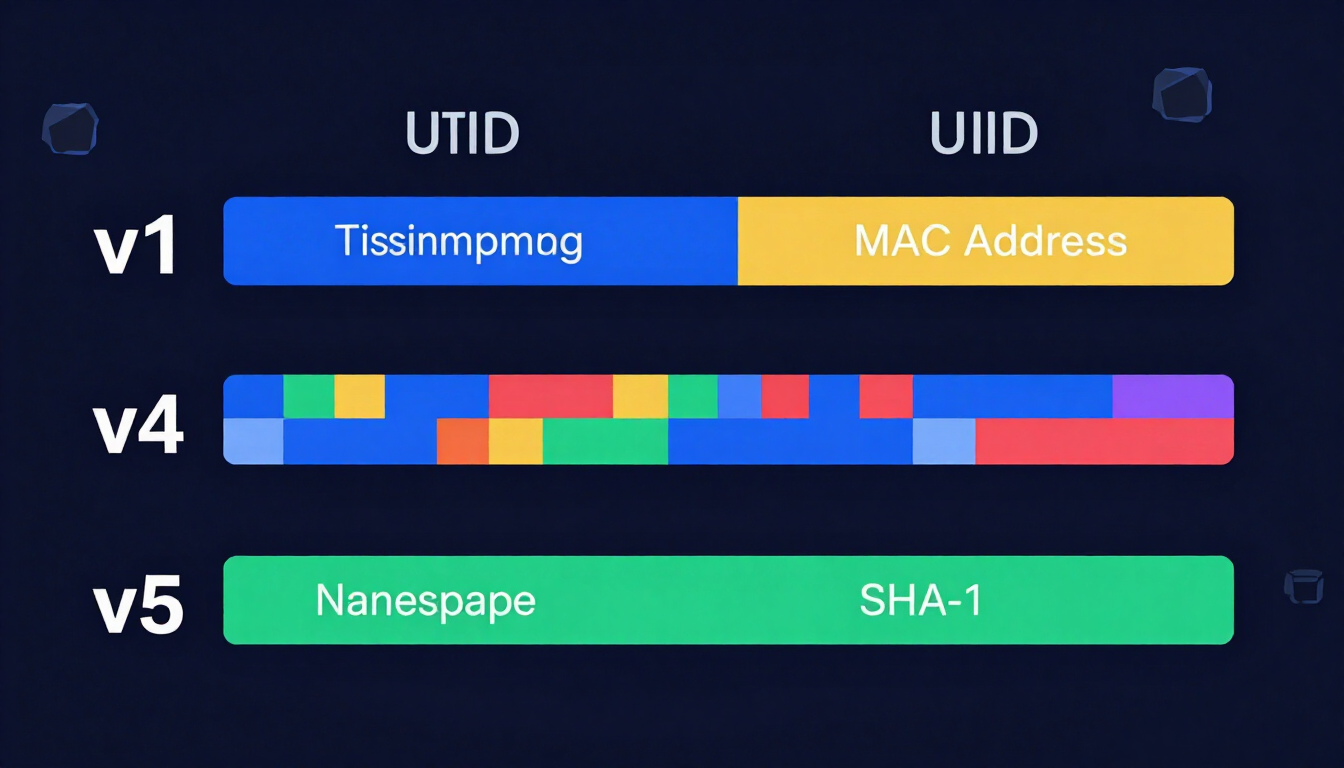
Each UUID version builds its 128 bits differently. Choosing the wrong version can leak private hardware data or break your database indexing.
| Feature | UUID v1 (Time + MAC) | UUID v4 (Random) | UUID v5 (Name-Based SHA-1) |
|---|---|---|---|
| How It Is Built | Current timestamp + computer MAC address | Cryptographically random numbers | Namespace UUID + input text hashed via SHA-1 |
| Example String | c232ab00-9414-11ec-b909-0242ac120002 | 9b1deb4d-3b7d-4bad-9bdd-2b0d7b3dcb6d | 886313e1-3b8a-5372-9b90-0c9aee199e5d |
| Version Digit | 1 (3rd group starts with 1) | 4 (3rd group starts with 4) | 5 (3rd group starts with 5) |
| Predictability | High (Easy to guess next ID) | Zero (Completely unpredictable) | 100% Deterministic (Same input = same ID) |
| Privacy Risk | High (Leaks MAC address and exact time) | None (Contains no metadata) | Low (Input text cannot be reversed, but can be brute-forced) |
| Needs Random Generator? | No (Unless hiding the MAC address) | Yes (Requires strong CSPRNG) | No (Uses mathematical hashing) |
| Best Use Case | Internal audit logs on isolated private networks | Public APIs, user IDs, session keys, general databases | Deduplicating data, generating consistent IDs from URLs or emails |
1. UUID v1: The Timestamp and MAC Address ID
UUID v1 combines two pieces of data: a 60-bit timestamp and the 48-bit MAC address of the computer generating the ID.
The timestamp counts 100-nanosecond intervals since October 15, 1582 (the date the Gregorian calendar started). If a single computer generates two UUIDs in the same 100-nanosecond window, a 14-bit "clock sequence" counter ticks up to prevent duplicates.
The Pros of UUID v1
- Zero collision risk across known hardware: Because every network card has a unique MAC address and time always moves forward, two machines will never generate the same ID.
- Extractable creation time: You can read the exact second a record was created directly from the ID without adding a
created_atcolumn to your database.
The Cons and Security Flaws of UUID v1
- Severe privacy leak: Anyone who sees a UUID v1 knows the exact physical network card that created it. In 1999, authorities tracked down the creator of the Melissa computer virus because a UUID v1 hidden inside his Word document matched his laptop's MAC address.
- Time-guessing attacks: If a hacker intercepts a UUID v1 reset token created at 12:00:01 PM, they know the exact MAC address. They only need to guess the tiny timestamp window to forge valid tokens for other users.
2. UUID v4: The Pure Randomness Standard
UUID v4 ignores your clock and your hardware. It fills the string with random numbers generated by your operating system.
Out of 128 total bits, 6 bits are fixed to show the version (4) and variant. The remaining 122 bits are completely random.
The Math Behind UUID v4 Collisions
With 122 random bits, there are 5.3 × 1036 possible UUID v4 combinations. In plain numbers, that is 5.3 undecillion possibilities.
To have a 50% chance of generating a single duplicate UUID v4, you would need to generate 1 billion UUIDs every second for 85 years. For all practical software projects, UUID v4 is completely collision-free.
The Pros of UUID v4
- Complete privacy: It leaks zero information about when, where, or how the record was created.
- Easy generation: Every modern programming language and web browser includes a built-in command (
crypto.randomUUID()) to make one instantly. - Safe for public URLs: Hackers cannot predict the next user's ID by looking at their own UUID v4.
The Cons of UUID v4
- Database index fragmentation: Because UUID v4 values are completely random, traditional B-tree database indexes (like MySQL InnoDB or PostgreSQL) must insert new rows into random pages on the hard drive. In massive databases with hundreds of millions of rows, this slows down write speeds.
3. UUID v5: The Deterministic Name-Based Hash
UUID v5 does not use clocks or random numbers. Instead, it takes two inputs:
- A Namespace UUID: A fixed identifier representing a category (such as DNS, URLs, OIDs, or a custom app namespace).
- A Name String: Any text value, such as
user@example.comorhttps://createpassword.in/tools.
The algorithm combines the Namespace and the Name, runs them through a SHA-1 cryptographic hash (producing 160 bits), truncates the result to 128 bits, and stamps 5 in the version spot.
Standard Pre-Defined Namespaces for UUID v5
The official specification gives you four built-in namespaces so developers worldwide get the exact same outputs:
- DNS Namespace:
6ba7b810-9dad-11d1-80b4-00c04fd430c8 - URL Namespace:
6ba7b811-9dad-11d1-80b4-00c04fd430c8 - OID Namespace:
6ba7b812-9dad-11d1-80b4-00c04fd430c8 - X.500 DN Namespace:
6ba7b814-9dad-11d1-80b4-00c04fd430c8
The Pros of UUID v5
- 100% Repeatable (Idempotent): If you feed the URL Namespace and
https://createpassword.ininto a UUID v5 generator in Tokyo today, and another developer runs the exact same input in New York five years from now, both systems will generate the exact same UUID without ever talking to each other. - Built-in deduplication: You can turn customer email addresses or product SKUs into primary keys. If a customer submits a form twice, the system generates the same UUID v5 and prevents duplicate records automatically.
The Cons of UUID v5
- Vulnerable to dictionary lookups: If you use a public namespace and hash a user's email address into a UUID v5, a hacker can hash millions of leaked email addresses with the same namespace to figure out which email belongs to that UUID. Always generate a secret, custom UUID v4 to use as your private namespace if you hash sensitive data.
What About UUID v3 and the New 2026 Standard (UUID v7)?
You might wonder what happened to the other numbers.
- UUID v3 vs UUID v5: UUID v3 works just like v5, except it uses the broken, outdated MD5 hashing algorithm instead of SHA-1. Never use UUID v3 in new projects; always choose UUID v5.
- UUID v7 (The RFC 9562 Database Upgrade): Finalized in RFC 9562, UUID v7 puts a 48-bit Unix millisecond timestamp at the very beginning of the ID, followed by 74 bits of random data. Because the timestamp comes first, UUID v7 sorts in chronological order inside databases while hiding your MAC address. Use UUID v7 if you need high-speed database writes, and UUID v4 when you want to hide creation timestamps from users.
Can You Use a UUID When You Create Password Secrets?
Many developers ask a dangerous question: "Since UUID v4 has 122 bits of randomness, can I just use a UUID when I create password credentials or API keys?"
The short answer: A secure UUID v4 is mathematically strong, but using raw UUIDs as user passwords or public tokens introduces major security risks.
Why UUIDs Are Identifiers, Not Passwords
- Limited Character Set (Hexadecimal Only): A UUID only uses 16 possible characters (0-9 and a-f) plus four hyphens in fixed positions. When you create password strings using all uppercase letters, lowercase letters, numbers, and symbols (a pool of 94 characters), each character carries 6.55 bits of entropy. A hexadecimal UUID character carries only 4 bits of entropy.
- Weak Random Number Generators in Older Code: Not all UUID v4 libraries use a Cryptographically Secure Pseudo-Random Number Generator (CSPRNG). If a poorly written library uses
Math.random()to build a UUID v4, a hacker can observe two or three public UUIDs, figure out the internal seed state, and predict every "password" your server generates next. - Terrible Human Usability: Asking a human to memorize or type
9b1deb4d-3b7d-4bad-9bdd-2b0d7b3dcb6don a phone keyboard is painful. A 5-word passphrase or a 20-character alphanumeric string is much shorter to type and provides superior security.
Entropy Comparison: UUIDs vs. True Passwords
| Credential Type | Example | Character Pool | Total Length | Mathematical Entropy | Safe for Passwords? |
|---|---|---|---|---|---|
| UUID v1 | c232ab00-9414-11ec-b909-0242ac120002 | 16 (Hex) | 36 chars | ~14 bits (Guessable) | Never (Instant hack) |
| UUID v5 | 886313e1-3b8a-5372-9b90-0c9aee199e5d | 16 (Hex) | 36 chars | Depends on input | No (Deterministic) |
| UUID v4 (CSPRNG) | 9b1deb4d-3b7d-4bad-9bdd-2b0d7b3dcb6d | 16 (Hex) | 36 chars | 122 bits | Only for machine tokens |
| 5-Word Passphrase | Velvet!Guitar!Cactus!Blue!Run | 7,776 Word List | 29 chars | ~64.6 bits | Yes (Human-friendly) |
| 20-Char Random String | xH9$mP2@qL5#vN8*bC1! | 94 (Full ASCII) | 20 chars | ~131 bits | Yes (Gold standard) |
Test the exact bit entropy of any string with our Password Strength Checker tool.
The State of Cybersecurity in 2026: How Hackers Break Accounts
To understand how to create password strings and system identifiers that survive modern attacks, you must look at how cybercriminals operate in 2026. Hackers do not sit in dark rooms guessing your favorite pet's name one try at a time. They run automated cloud infrastructure.
Automated Credential Stuffing
Credential stuffing is the number one cause of account takeovers in 2026. Over 24 billion username-and-password pairs circulate on dark web marketplaces from historical data breaches.
Hackers rent botnets, networks of tens of thousands of infected smart devices and residential proxies. They load stolen email-and-password lists into tools that test millions of logins per hour against banking portals, social media apps, and developer dashboards.
Because the requests come from thousands of different home IP addresses, standard firewalls struggle to block them. If you used the same password on a breached gaming forum in 2022 that you use on your cloud server today, automated bots will break into your account automatically.
AI Brute-Forcing and Pattern Prediction
In 2026, attackers pair high-end GPU clusters with specialized large language models (LLMs) trained on billions of leaked real-world passwords.
Traditional brute-forcing tested every possible letter combination (aaaa, aaab, aaac). AI brute-forcing skips combinations humans never use. Instead, the AI predicts human psychology:
- It knows humans capitalize the first letter and put numbers at the end.
- It knows common leetspeak swaps (@ for a, 3 for e, 0 for o, $ for s).
- It scrapes public social media data to combine local sports teams, birth years, and keyboard walks (like
qwerty123!).
A cluster of modern graphics cards running AI-guided cracking software like Hashcat can test over 100 billion password hashes per second offline. Any 8-character password, no matter how many symbols you pack into it, falls in minutes.
How NIST 2026 Guidelines Defeat AI
The National Institute of Standards and Technology (NIST) updated its Special Publication 800-63B guidelines to counter modern cracking speeds:
- Length beats complexity: Require a minimum of 8 characters, but strongly push for 15 to 64 characters.
- Stop forced symbol rules: Forcing users to include 1 uppercase, 1 lowercase, 1 number, and 1 symbol makes people invent predictable patterns like
Summer2026!. Pure length is mathematically much stronger. - Stop mandatory 90-day resets: Forcing routine password changes causes employees to just change
Company1!toCompany2!. Only force a password reset when a breach is detected. - Screen against breach lists: Every system must check new passwords against a blocklist of known compromised credentials.
How to Create Password Ideas: Categorized Lists
When you need to create password credentials that you can actually type and remember without a sticky note, combine multiple unrelated words with numbers and separators. Below are categorized templates designed for 2026 security standards. Never copy these exact examples. Swap the words, numbers, and symbols with your own concepts so your login remains 100% unique.
Developer & Tech-Themed Password Ideas
If you work with UUIDs, databases, and code all day, use technical concepts to build memorable 16+ character passphrases.
| Base Tech Concept | Secure Password Variation | Length | Why It Works |
|---|---|---|---|
| UUID Version 4 | Random!Uuid4!Never!Collides99 | 29 chars | Easy for a coder to recall; impossible for AI to guess. |
| Git Merge Conflict | Fix!Merge!Conflict!Before!5pm | 29 chars | Tells a vivid story with natural capitalization and numbers. |
| Database Index | BTree#Index#Fast#Query#2026 | 27 chars | Mixes technical nouns with hash separators. |
| Coffee & Code | Zero!Bugs!After!3!Espressos | 27 chars | Natural sentence structure that exceeds NIST length rules. |
| Docker Container | Ship*Container*To*Cloud*Port80 | 30 chars | Uses asterisks as word dividers for high entropy. |
Funny Password Ideas
Humor creates strong neural pathways in your brain. A funny image stays in your memory for months without effort.
- The Wi-Fi Freeloader:
Buy!Your!Own!Router!Dave99 - The Diet Excuse:
Salad!Counts!If!Pizza!Is!Near77 - The Workday Mood:
This!Meeting!Was!An!Email26 - The Pet Blame:
My!Golden!Retriever!Typed!This88 - The Caffeine Dependency:
Blood!Type!Is!Iced!Latte!100 - The Procrastinator:
Panic!At!The!Deadline!Tomorrow44
Cute Password Ideas
Cute imagery works great when you combine three or four distinct adorable items into a single long string.
- Sleepy Animals:
Tiny!Otter!Holds!Pebble!99 - Bakery Treats:
Warm#Cinnamon#Roll#With#Icing77 - Rainy Afternoon:
Yellow?Raincoat?Puddle?Jump26 - Garden Friends:
Chubby*Bumblebee*Naps*In*Tulip - Cozy Kitten:
Purring!Calico!Steals!My!Chair55 - Fluffy Clouds:
Marshmallow!Sky!Meets!Pink!Moon
Aesthetic Password Ideas
Pair rich visual textures, colors, and nature scenes to create password strings that feel poetic and effortless to type.
- Midnight Stargazing:
Velvet!Cosmos!Silver!Comet!88 - Coastal Morning:
Salty#Ocean#Mist#On#Cedar#Deck - Vintage Library:
Old!Paperback!Rain!On!Glass!92 - Golden Hour:
Amber*Sunlight*Through*Pine*Trees - Matcha Cafe:
Ceramic?Cup?Warm?Matcha?Foam26 - Autumn Woods:
Crisp!Maple!Leaf!Fades!To!Gold
Work & Corporate Password Ideas
Corporate IT portals often enforce legacy rules requiring uppercase letters, lowercase letters, numbers, and symbols. These formulas pass every strict Active Directory check cleanly.
- The Desk Inventory:
Dual!Monitor!Mechanical!Key99 - The Commuter:
Express#Train#Window#Seat#7am - The Project Sprint:
Launch!Quarter!Three!Goals!Now88 - The Clean Inbox:
Archive*Every*Read*Message*2026 - The Boardroom:
Blue!Dry!Erase!Marker!Works55
Word-Based Passphrases (The Diceware Method)
For pure mathematical randomness that a human can still memorize, nothing beats stringing together four or five completely unrelated dictionary words.
- Example 1:
Anvil!velvet!Taco!Subway!42 - Example 2:
Glacier#Banjo#Cactus#Socket#19 - Example 3:
Lantern?Walrus?Velcro?Cobalt?84 - Example 4:
origami*Tractor*Muffin*Quartz*63
Roll digital dice to build a passphrase with our Diceware word passphrase generator.
The Golden Rule: Never Reuse a Password
In software architecture, UUID v5 is famous because it gives you the exact same output every time you feed it the same input. That is great for database IDs, and catastrophic for passwords.
When you create password credentials, you must follow one absolute rule: One account, one unique password. Zero exceptions.
How One Data Breach Destroys Five Accounts
Imagine you create an awesome 22-character passphrase: Velvet!Cosmos!Silver!Comet!88. No AI supercomputer on Earth can brute-force that string.
Because you love this passphrase, you use it for:
- Your primary Gmail account.
- Your online banking login.
- A small indie game forum you joined on a Saturday afternoon.
Six months later, the indie game forum gets hacked because the site owner forgot to update a plugin. Even if the forum hashed your password, the site might have logged it in plain text by mistake, or used a weak hashing algorithm.
Within 24 hours, automated credential-stuffing bots take your leaked email and Velvet!Cosmos!Silver!Comet!88 and test them on Gmail, Amazon, PayPal, and Chase Bank. Your unbreakable 22-character password fails instantly because you reused it.
Why "Slightly Changing" Your Password Does Not Work
Many people try to outsmart this rule by adding the website's name to a base password:
Velvet!Cosmos!88_NetflixVelvet!Cosmos!88_AmazonVelvet!Cosmos!88_Gmail
Do not do this. Modern AI cracking scripts and human attackers immediately spot this pattern in breach dumps. Once a hacker sees _Netflix at the end of your leaked password, their software automatically swaps _Netflix for _Gmail, _Bank, _Apple, and _PayPal. Every single login you own must be completely unrelated to every other login.
How to Use a Client-Side Password & UUID Generator Safely
If every website needs a completely unique 16-to-24-character password, you cannot invent them in your head. Humans are terrible at being random. When asked to pick random keys on a keyboard, people almost always stay on the middle row (asdfghjkl) or follow predictable hand-alternating rhythms.
You need a generator, and how that generator works matters.
The Danger of Server-Side Generators
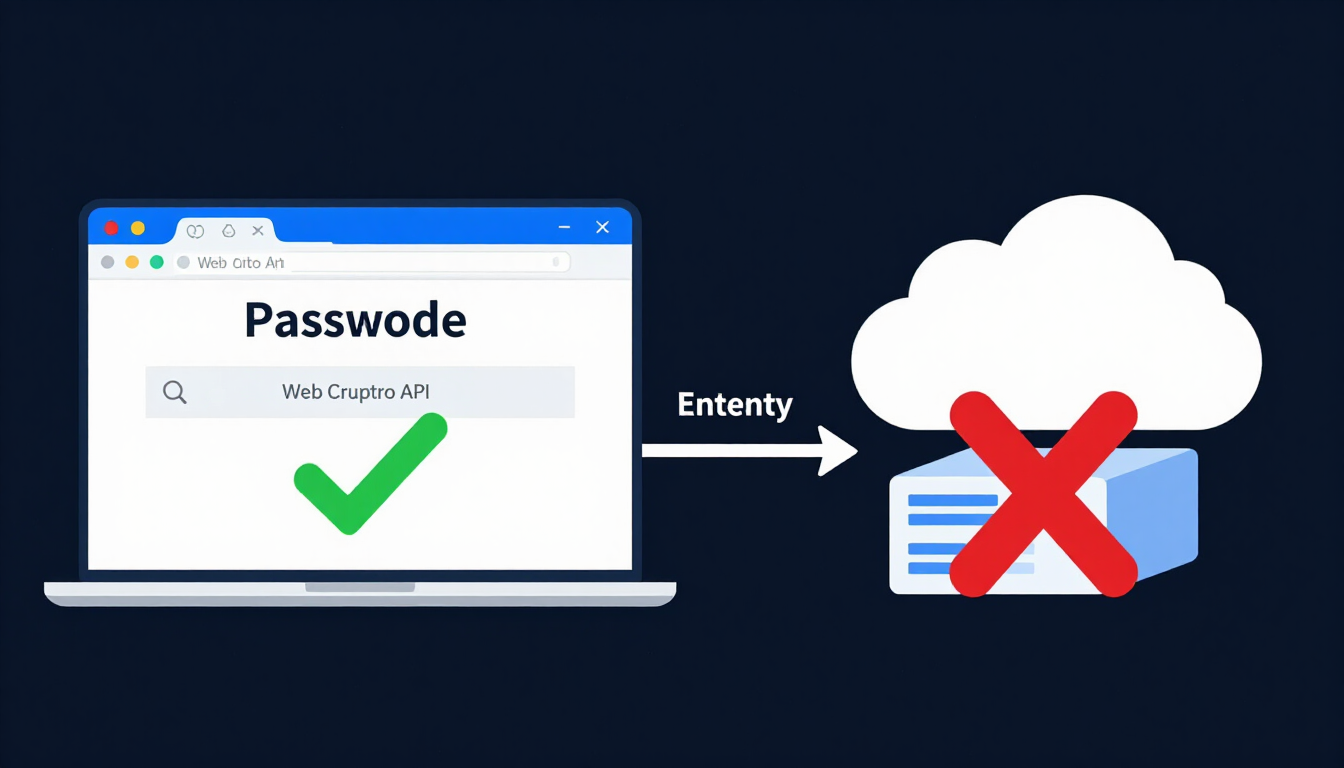
Many older websites generate passwords and UUIDs on their backend server. When you click "Generate," their server creates the password and sends it across the internet to your screen. This creates three serious risks:
- Server logging: A poorly configured server (or a malicious site owner) can log your IP address alongside the password you just generated.
- Network interception: If a corporate proxy, compromised router, or malicious browser extension inspects your network traffic, the generated secret is exposed in transit.
- Shared random state: Server-side scripts under heavy traffic sometimes reuse entropy pools.
How Client-Side Generation Protects You (Web Crypto API)
All tools on CreatePassword.in, including our password generators, passphrase builders, Wi-Fi QR code makers, and UUID generators, run 100% client-side. Here is what happens under the hood when you click "Generate" on a client-side tool:
- Direct OS Entropy Access: Your web browser calls the built-in
window.crypto.getRandomValues()orwindow.crypto.randomUUID()JavaScript API. - Hardware-Level Randomness: Your browser asks your computer's or phone's operating system kernel (such as
/dev/urandomon Linux/macOS orBCryptGenRandomon Windows) for true cryptographic entropy gathered from hardware noise, CPU thermal fluctuations, and interrupt timings. - Zero Network Traffic: The password or UUID is assembled entirely inside your device's local RAM. Nothing is ever sent to our servers. In fact, you can load our generator page, turn off your Wi-Fi or put your phone in Airplane Mode, and generate thousands of passwords completely offline.
Step-by-Step: How to Create a Maximum-Security Password Safely
- Open our client-side random password generator.
- Set the password length slider to at least 16 characters (use 20 to 24 characters for email, banking, and master accounts).
- Check all four boxes: Uppercase (A-Z), Lowercase (a-z), Numbers (0-9), and Symbols (!@#$%^&*).
- Click Generate and hit Copy to place the string directly into your clipboard.
- Paste the new password directly into your encrypted password manager and the website's password field.
Why You Absolutely Need an Encrypted Password Manager
Once you start using our client-side generator to create 20-character passwords like k9#mP2$vL8@nQ5!xR7*z, a practical question comes up: How do you remember 150 of those?
You don't. You store them inside a zero-knowledge encrypted password manager.
How Password Managers and UUIDs Work Together Behind the Scenes
Interestingly, encrypted password managers (like Bitwarden, 1Password, and Proton Pass) rely heavily on UUID v4 to keep your vault running smoothly.
When you save a new login inside a password manager:
- The manager assigns that vault entry a unique UUID v4 (for example,
a4f98c12-6e1b-4d8a-9c3e-1f2a3b4c5d6e). - When you update your password on your phone, the app syncs that encrypted record to your laptop using its UUID v4 so both devices know which entry changed.
- Meanwhile, the actual username, URL, and password inside that record are locked with AES-256 bit encryption or ChaCha20-Poly1305 before they ever leave your device.
Even the company that runs your password manager cannot read your passwords. They only see encrypted scrambles of data organized by random UUIDs.
Combining Our Tools With Your Password Manager
To build a strong personal security workflow in 2026:
- Create One Master Passphrase: Use our passphrase generator to create a 5-to-6-word master passphrase (e.g.,
Cobalt!Walrus!Guitar!Velvet!jumped!99). This is the only password you ever need to memorize. Write a backup copy on a piece of paper and lock it in a physical home safe. - Generate Random Strings for Everything Else: Whenever you sign up for a new app, use our client-side password generator or your vault's built-in generator to create a unique 20-character random password.
- Audit Old Logins: Open your password manager's security dashboard and look for reused or short passwords. Use our password strength checker to verify your critical logins, and replace every weak password one by one.
- Share Wi-Fi Without Exposing Your Vault: When guests visit, generate a random password for your Guest Wi-Fi network and turn it into a scannable sign using our Wi-Fi QR code generator.
- Lock Down Device Screens: Create non-predictable 6-to-8-digit PINs for hardware security keys and SIM card locks using our security tools.
Compare the top zero-knowledge vaults in our complete password manager guide.
The Final Layer: Setting Up Multi-Factor Authentication (MFA)
Even the strongest 24-character password cannot protect you if you accidentally type it into a fake phishing website, or if infostealer malware grabs your session token.
Multi-Factor Authentication (MFA), also called Two-Factor Authentication (2FA), is your final, non-negotiable shield. MFA requires two or more distinct proofs of identity before granting access:
- Something you know: Your unique password or passphrase.
- Something you have: A physical hardware key or an authenticator app on your phone.
- Something you are: A fingerprint or Face ID scan.
Ranking MFA Methods from Weakest to Strongest in 2026
| MFA Method | Security Level | Resistant to Phishing? | How It Works & What to Watch Out For |
|---|---|---|---|
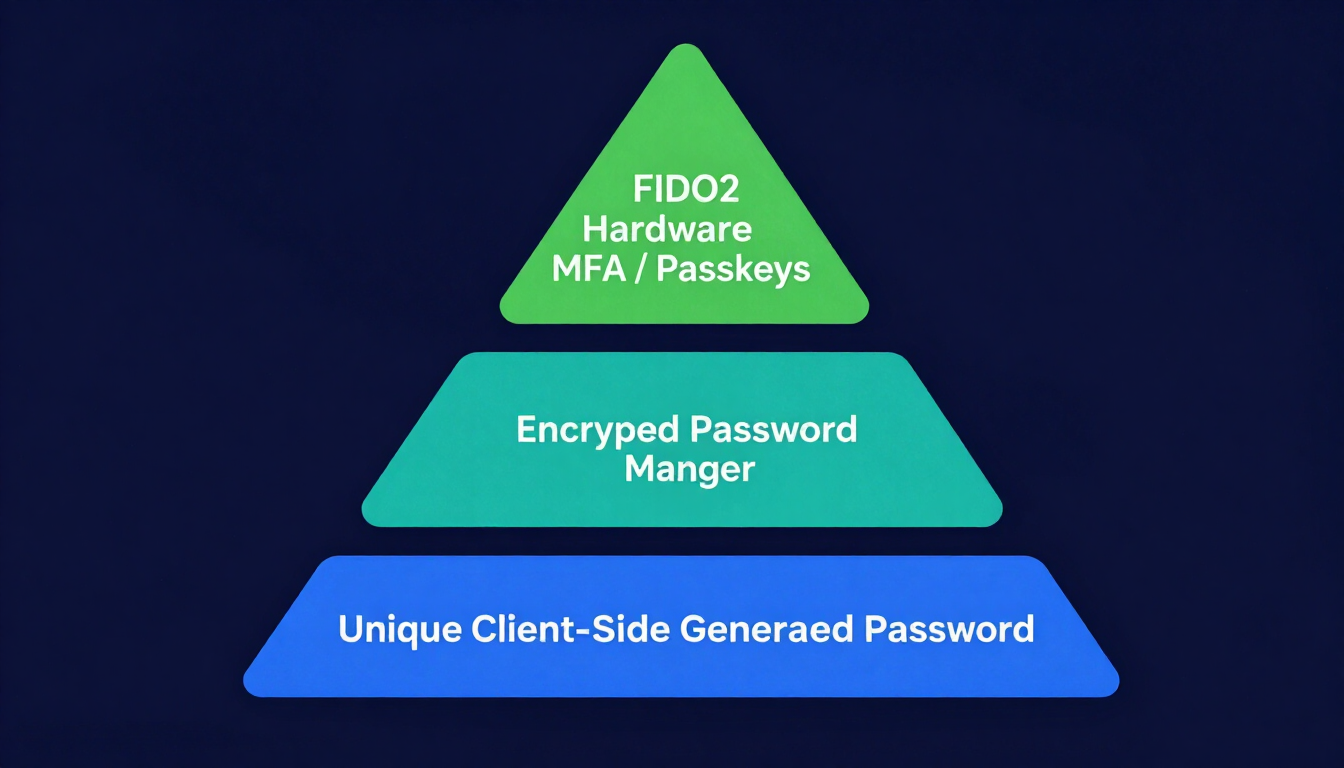
| Hardware Security Keys (FIDO2 / WebAuthn) & Passkeys | Maximum (Gold Standard) | Yes (100%) | Uses cryptographic public/private keys (like a YubiKey or built-in device Passkey). Bound to the real website domain, making fake phishing sites useless. |
| Authenticator Apps (TOTP) | High | No (Vulnerable to real-time proxy phishing) | Apps like Ente Auth, 2FAS, Aegis, or Google Authenticator generate a 6-digit code every 30 seconds offline on your phone. |
| Push Notification Prompts | Medium-High | Partial (Unless using number matching) | Sends an "Approve / Deny" popup to your phone. Never approve a prompt you did not just trigger yourself. |
| Email Verification Codes | Low-Medium | No | Sends a code to your inbox. Safe only if your email account itself is locked down with a hardware key or authenticator app. |
| SMS Text Messages | Low (Avoid if possible) | No | Vulnerable to SIM-swapping attacks where criminals trick your mobile carrier into transferring your phone number to their SIM card. |
Action Plan: Lock Down Your Core Accounts Today
You do not need to set up a hardware key for a random pizza delivery app. Prioritize your digital life in three tiers:
- Tier 1 (Your Digital Master Keys): Your password manager, primary email account (Gmail/Outlook/Proton), and Apple ID / Google Account. Action: Use a 20+ character password or 5-word passphrase + hardware security key (YubiKey) or authenticator app. Never use SMS here.
- Tier 2 (Financial & Work): Banks, crypto exchanges, tax portals, corporate Slack/Microsoft 365, and cloud hosting (AWS/GitHub). Action: Unique 20-character generated password + passkey or authenticator app.
- Tier 3 (Everyday Accounts): Streaming services, gaming accounts, shopping sites, and forums. Action: Unique 16-character generated password stored in your password manager.
Final Takeaway
UUID v4 is the right default for almost every modern application: it is random, private, and collision-free. Reach for UUID v5 when you need deterministic, repeatable IDs, and avoid UUID v1 anywhere it might reach the public internet. But remember that a UUID, no matter how random, is an identifier and not a credential. To create password secrets that survive 2026 AI cracking, use a client-side generator backed by the Web Crypto API, store every unique password in an encrypted manager, and protect your master accounts with phishing-resistant MFA.
Resources & Tools
CreatePassword Tools
- Free Online UUID Generator — generate v1, v4, and v5 identifiers client-side
- Random Password Generator — create password secrets locally with the Web Crypto API
- Diceware Passphrase Generator — build memorable 5-word passphrases
- Password Strength Checker — measure the exact entropy of any string
- Wi-Fi QR Code Generator — share guest network access securely
Related Guides
- The Complete Guide to Creating Strong Passwords in 2026
- Password Security Best Practices (2026 Guide)
- Complete Password Manager Guide
- Our Security Methodology


Leave a comment
Comments are moderated before appearing. Please keep it respectful and on-topic. Your email is required for verification but is never displayed publicly or shared.