
Traditional password advice is officially obsolete. Swapping an "E" for a "3", appending "2026!" to your dog's name, or relying on an 8-character string no longer slows down modern attackers by more than a fraction of a millisecond.
Whether you are an everyday user locking down your banking logins or a developer handling Base64 encoding, cryptographic hashing, and API tokens, this cornerstone guide covers the exact framework required to secure your digital identity—and how to use our suite of client-side security tools at CreatePassword.in to stay protected.
1. The State of Cybersecurity in 2026: Credential Stuffing & AI Brute-Forcing
To understand how to create a password today, you first need to understand how attackers break them. Hackers no longer sit at keyboards guessing your favorite sports team. Modern account takeovers rely on two industrial-scale threat vectors: automated credential stuffing and AI-accelerated brute-forcing.
AI Brute-Forcing and Distributed GPU Clusters
In 2026, attackers pair consumer and enterprise GPU clusters with deep-learning models (evolutions of generative adversarial networks like PassGAN and transformer-based password predictors). Trained on billions of real-world leaked passwords, these AI models do not guess alphabetically from aaaa to zzzz. Instead, they analyze human psychology and linguistic patterns, predicting the exact substitutions humans make—such as capitalizing the first letter, replacing "s" with "$", and adding a birth year at the end.
When an attacker obtains a leaked database of password hashes, modern hardware clusters can test over 100 billion guesses per second against weak hashing algorithms.

The Mathematics of Password Entropy
Security professionals measure password strength in bits of entropy—a mathematical measurement of unpredictability calculated as:
Where L is the length of the password and R is the size of the character pool (26 for lowercase, 52 for mixed case, 62 for alphanumeric, and 94 for all printable ASCII characters).
| Password Strategy | Example | Character Pool (R) | Entropy (E) | 2026 AI / GPU Crack Time |
|---|---|---|---|---|
| 8 Chars (Lowercase only) | sunshine | 26 | ~37.6 bits | Instant (Less than 1 millisecond) |
| 8 Chars (Complex Human) | P@ssw0rd | 94 (Predictable) | ~28–52 bits | Instant (Dictionary / AI rule hit) |
| 12 Chars (Random Mixed) | k9#mP2$vL8@q | 94 | ~78.6 bits | ~3 weeks (Dedicated GPU cluster) |
| 16 Chars (Random Mixed) | T7$kL9!pQ2#xR5&v | 94 | ~104.9 bits | Millions of years (Uncrackable) |
| 5-Word Passphrase | velvet-orbit-canyon-plume-42 | Diceware (7,776 words) | ~64.6–77.5 bits | Centuries to Millennia |
Want to know where your current credentials stand? Run a non-sensitive test pattern through our Client-Side Password Strength & Entropy Checker to see its real-time bit score.
Credential Stuffing at Scale
Even if your password has 100 bits of entropy, mathematics cannot save you if the website storing your password gets breached and you used that same password elsewhere.
Credential stuffing uses headless browsers and residential proxy botnets to take billions of leaked username-and-password pairs from dark web combo lists and automatically test ("stuff") them across banking, email, crypto, and e-commerce login portals worldwide. Check whether your accounts have already been exposed using our Data Breach Checker.
2. The Golden Rule: Never Reuse a Password
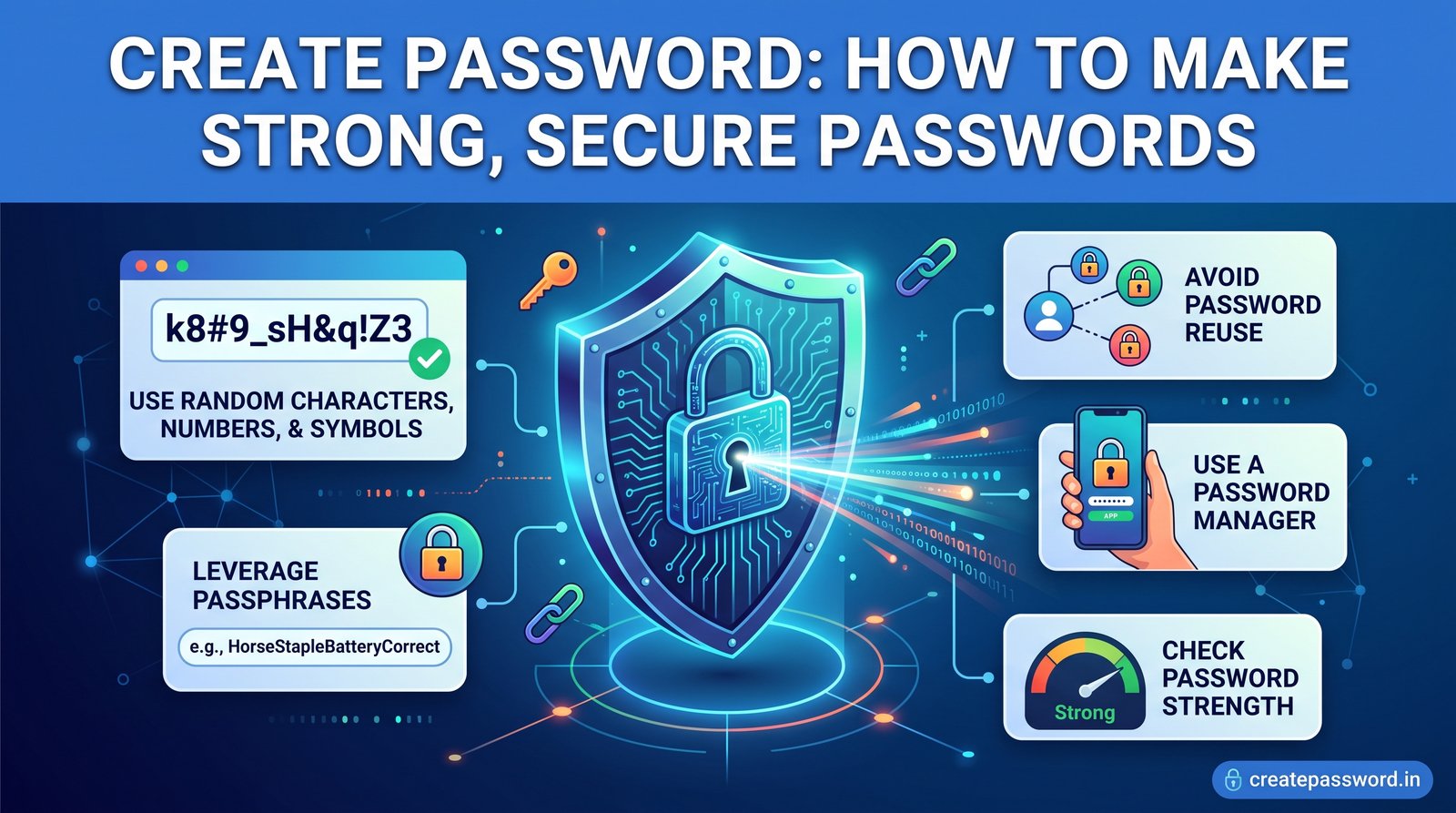
If you take only one rule away from modern cybersecurity, make it this: One account, one unique password. No exceptions.
How Lateral Movement Destroys Digital Lives
Imagine you sign up for a local food delivery forum in 2022 using your primary email address and a strong password. In 2026, that forum suffers an SQL injection breach. You don't care about the forum—until automated botnets take your leaked password and test it against your primary Gmail, Amazon, corporate Slack, and cloud storage accounts within minutes of the dump hitting Telegram channels.
Why "Pattern Variations" Fail
Many users try to outsmart credential stuffing by creating a "base password" and adding a site identifier—for example:
MySecretBase#2026_NetflixMySecretBase#2026_PayPalMySecretBase#2026_Gmail
Why this fails in 2026: Modern credential-stuffing bots run automated LLM-powered mutation engines. The moment a bot sees _Netflix at the end of a breached credential, it automatically strips the suffix and injects _PayPal, _Chase, _Amazon, and _Apple when targeting those respective login pages.
Every single login you own must be mathematically unrelated to every other login.
3. How to Use a Client-Side Password Generator Safely
Because human brains are evolutionarily wired to recognize and create patterns, humans are incapable of generating true randomness. When asked to pick a "random" number or symbol, over 70% of people choose 1, 7, !, or @.
To create a password with true cryptographic randomness, you must delegate the job to a Client-Side Password Generator.
Client-Side vs. Server-Side Generation: Why Architecture Matters
Not all online password generators are built equally.
- Server-Side Generators (Dangerous): When you click "Generate," the website's backend server creates the password and sends it across the internet to your browser. Even over HTTPS, that password existed in server RAM, could be inadvertently captured in application logs, or could be exposed via compromised CDN workers.
- Client-Side Generators (Zero-Knowledge): When you use our Secure Password Generator, zero data leaves your device. The password is generated entirely inside your browser's local memory using your operating system's hardware entropy sources.
Under the Hood: Web Crypto API vs. Math.random()
Standard JavaScript functions like Math.random() are not cryptographically secure; their internal state can be reverse-engineered to predict future outputs.
A true client-side generator leverages the browser's native Web Crypto API (window.crypto.getRandomValues()). This API pulls raw entropy directly from your operating system's Cryptographically Secure Pseudo-Random Number Generator (CSPRNG)—measuring microscopic variations in hardware thermal noise, CPU cycle jitter, and interrupt timing.
Step-by-Step: How to Create a Password Safely Right Now
- Open the Generator: Launch our Client-Side Password Generator (for maximum paranoia, you can load the page, turn off your Wi-Fi, generate your password, and copy it before reconnecting).
- Set Your Length to 16–24 Characters: Never go below 16 characters for critical accounts (email, banking, cloud admin).
- Enable All Character Sets: Check Uppercase (A-Z), Lowercase (a-z), Numbers (0-9), and Symbols (!@#$%^&*).
- Or Choose a Memorable Passphrase: Need to type the password manually on a smart TV or new laptop? Switch to our Passphrase Generator to create a 5-to-6-word Diceware phrase (e.g.,
cobalt-harbor-velvet-quartz-79). - Save Immediately to Your Vault: Copy the generated string directly into your encrypted password manager without ever writing it in plain text notes or emails.
4. Base64 Encoding Explained: How to Encode & Decode (2026) — And Why Encoding Is Not Encryption
As you explore cybersecurity tools, API authentication headers, and password storage architectures, you will frequently encounter Base64 strings—text that looks just like a complex, randomly generated password (often ending in = or ==, such as U2VjdXJlUGFzc3dvcmQyMDI2IQ==).
Understanding Base64 encoding—and how it differs from hashing and encryption—is one of the most critical foundational concepts in data security.
What Is Base64 Encoding?
Defined under RFC 4648, Base64 is a binary-to-text encoding scheme that translates raw binary data (sequences of 0s and 1s) into a safe, universal set of 64 printable ASCII characters:
- 26 Uppercase letters: A–Z (indices 0–25)
- 26 Lowercase letters: a–z (indices 26–51)
- 10 Digits: 0–9 (indices 52–61)
- 2 Symbols: + and / (indices 62–63), or - and _ in Base64URL encoding
- Padding Character: = (used at the end of strings when input bytes aren't divisible by 3)
How Base64 Encoding & Decoding Works (Step-by-Step)
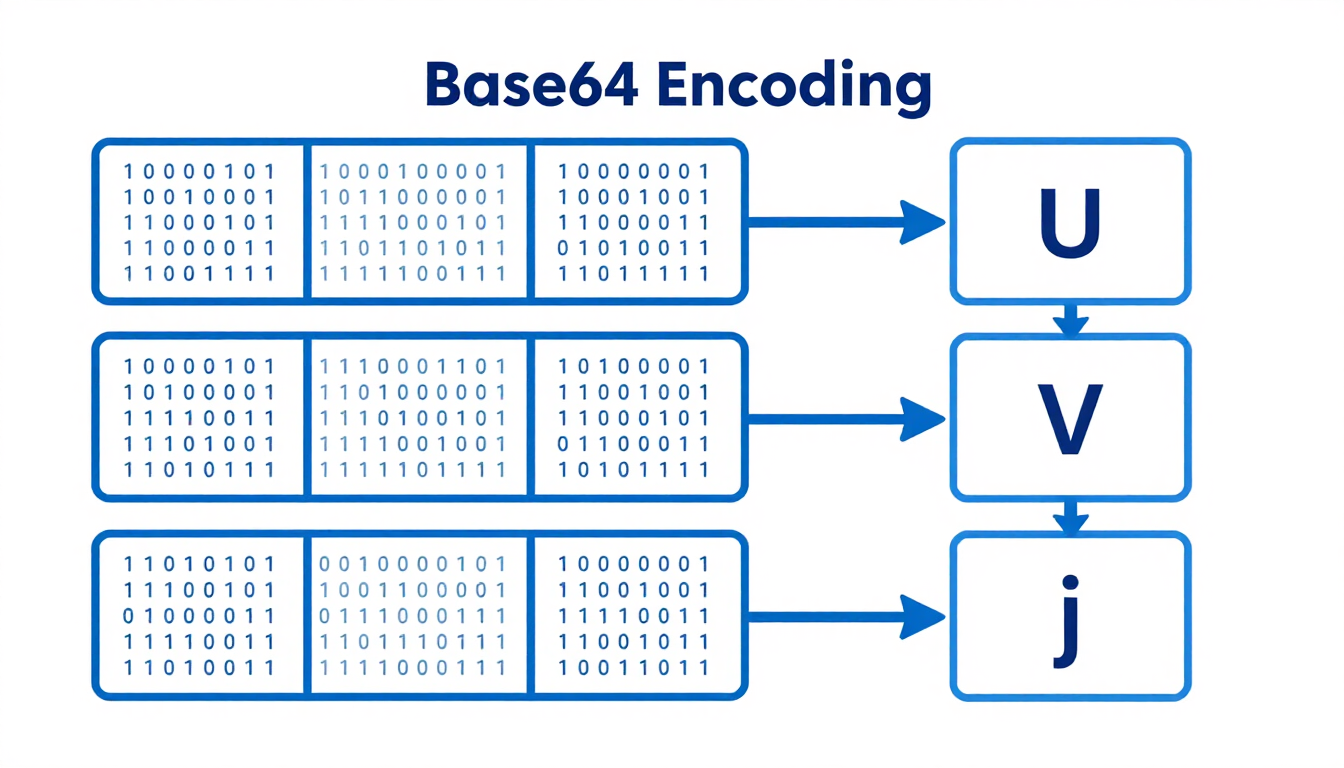
Computers store standard ASCII characters as 8-bit bytes (1 byte = 8 bits). However, older email protocols (SMTP), URLs, and JSON payloads often corrupt raw binary bytes or misinterpret special control characters. Base64 solves this by regrouping three 8-bit bytes (24 bits total) into four 6-bit chunks (24 bits total), then mapping each 6-bit value (2⁶ = 64) to the Base64 alphabet.
Let's walk through encoding the word Sec:
- ASCII Characters: S, e, c
- Decimal ASCII Values: 83, 101, 99
- 8-Bit Binary Representation: 01010011 01100101 01100011 (24 bits)
- Regroup into 6-Bit Chunks: 010100 | 110110 | 010101 | 100011
- Convert 6-Bit Binary to Decimal: 20 | 54 | 21 | 35
- Map to Base64 Index: U | 2 | V | j →
U2Vj
To decode Base64, the process simply runs in reverse: the decoder maps U2Vj back to its 6-bit numbers, combines the 24 bits into three 8-bit bytes, and outputs Sec.
Need to encode API keys, inspect JWT payloads, or convert strings right now? Use our instant, browser-based Base64 Encoder & Decoder Tool—100% client-side with full UTF-8 support.
The Critical Security Warning: Base64 vs. Hashing vs. Encryption
One of the most dangerous mistakes novice developers and users make is assuming that because a Base64-encoded string looks scrambled, it is secure. Base64 provides zero confidentiality.
| Mechanism | Purpose | Reversible? | Requires a Secret Key? | 2026 Security Use Case |
|---|---|---|---|---|
| Encoding (Base64) | Data usability & safe transport across text systems | Yes (Instantly by anyone) | No (Public algorithm) | Embedding images in HTML/CSS, HTTP Basic Auth headers, formatting encrypted keys |
| Hashing (Argon2id, SHA-256) | One-way data integrity & password verification | No (Strictly one-way) | No (Uses a random Salt) | Storing user password hashes in databases, verifying file downloads |
| Encryption (AES-256-GCM) | Data confidentiality & privacy | Yes (Only with the Key) | Yes (Secret Key / Master Password) | Encrypting your password manager vault, HTTPS traffic, disk encryption |
- Never "hide" a password by Base64-encoding it. Anyone can paste it into our Base64 Decoder and read it in a split second.
- Where Base64 does fit in password security: Modern password managers and cryptographic APIs encrypt your vault into raw binary ciphertext using AES-256-GCM, and then Base64-encode that encrypted binary data so it can be safely synced via JSON over the cloud! Similarly, high-entropy random bytes from a CSPRNG can be Base64-encoded to quickly create a high-entropy API secret or password.
- Testing database security? Generate irreversible cryptographic digests using our SHA-256 & Hash Generator Tool.
5. Why You Absolutely Need an Encrypted Password Manager (And How They Work With Our Tools)
Once you follow the Golden Rule and create a unique, 20-character random password for every website you use, you face an obvious human problem: Nobody can memorize 300 random strings like 9#vK2$mP8!xL4@qR7&zW.
That is why an Encrypted Password Manager (such as Bitwarden, 1Password, or Proton Pass) is mandatory in 2026. Instead of remembering 300 passwords, you memorize one strong Master Passphrase, and the vault remembers the rest.
How Zero-Knowledge Architecture Keeps Your Vault Safe
A common fear is: "What if my password manager company gets hacked?" Reputable password managers use Zero-Knowledge End-to-End Encryption:
- Local Key Derivation: When you type your Master Password, it never leaves your device. Your device runs it through a memory-hard key derivation function (Argon2id or PBKDF2-HMAC-SHA256 with 600,000+ iterations) to create a local 256-bit encryption key.
- Local AES-256 Encryption: Your vault is encrypted and decrypted exclusively on your phone or computer.
- Encrypted Cloud Sync: The password manager's servers only ever receive an encrypted, Base64-serialized blob of ciphertext. Even if attackers breach the server, they cannot decrypt your vault without cracking your Master Passphrase.
How to Pair Your Password Manager with CreatePassword.in Tools
Even with a built-in vault generator, security professionals frequently pair their password manager with standalone browser utilities on CreatePassword.in:
- Creating Your Master Passphrase: Before you even install a password manager, you need an uncrackable Master Passphrase you haven't stored anywhere yet. Use our Passphrase Generator to create a 6-word Diceware phrase to serve as the master key to your vault.
- Shared Credentials & Client Onboarding: Developers and IT admins who need to generate temporary high-entropy passwords, API secrets, or Base64-encoded tokens on locked-down workstations or shared screens can generate them cleanly in a browser tab without opening their personal vault on screen. Use the API Key Generator for high-entropy secrets.
- Auditing Existing Passwords: Use our Password Strength Checker to audit legacy structures and generate non-sequential hardware PINs.
6. The Final Layer: Setting Up Multi-Factor Authentication (MFA)
Creating a 20-character client-side password and storing it in an encrypted vault makes brute-forcing mathematically impossible. However, if you are tricked into typing that password into a sophisticated real-time EvilProxy phishing site or infected with info-stealer malware, an attacker has your password.
Multi-Factor Authentication (MFA) is the blast door that stops an attacker even when they have your password. MFA requires at least two of the following factors to log in:
- Something You Know: Your password or Master Passphrase.
- Something You Have: A physical hardware token or authenticator device.
- Something You Are: Biometrics (FaceID, TouchID, Windows Hello).
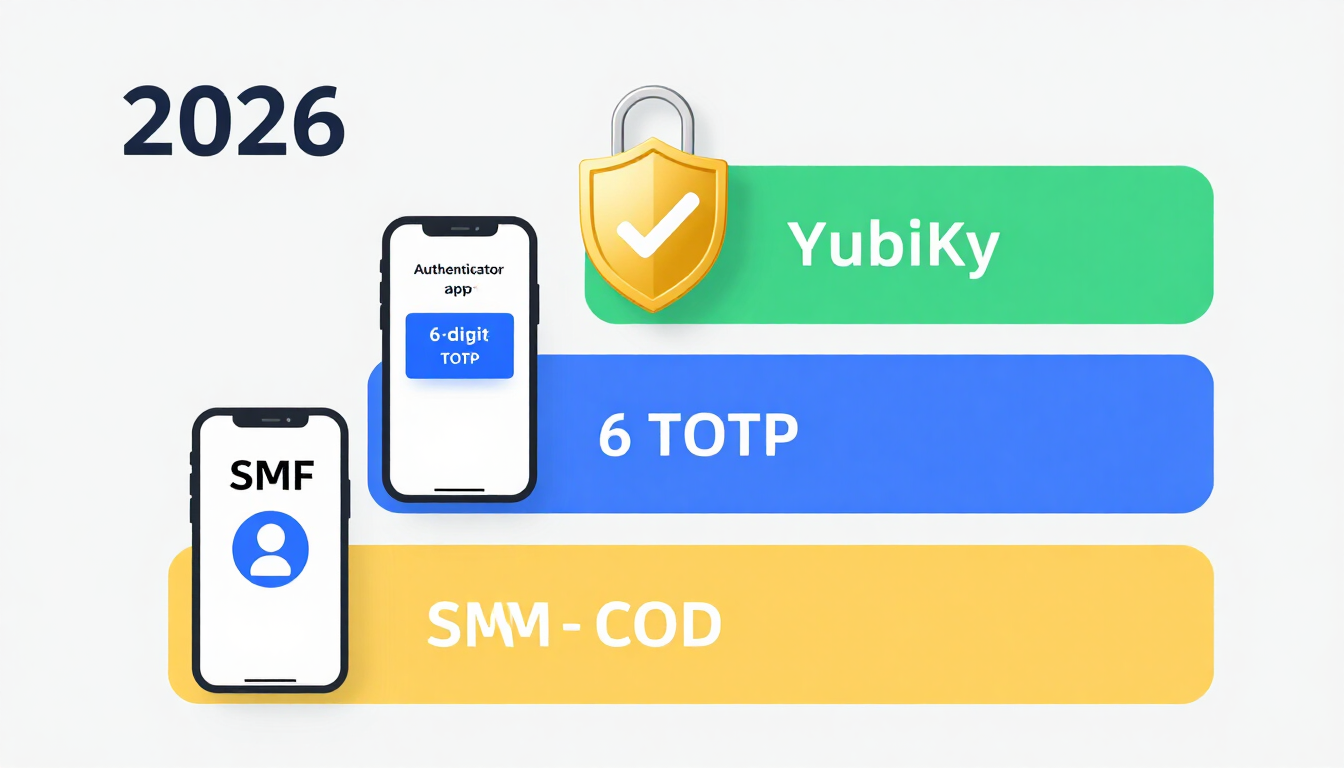
The 2026 MFA Hierarchy: From Weakest to Unphishable
Not all MFA methods offer the same protection. Use this hierarchy when configuring your accounts:
- Tier 3 — SMS & Email One-Time Codes (Avoid for Critical Accounts): Better than no MFA, but vulnerable to SIM-swapping attacks, SS7 network interception, and real-time phishing relays. Only use SMS when a website offers no other option.
- Tier 2 — TOTP Authenticator Apps (Strong Standard): Apps like Ente Auth, Aegis, 2FAS, Google Authenticator, or your password manager's built-in TOTP generator create a 6-digit code that rotates every 30 seconds based on a shared secret key (interestingly, the QR code you scan to set up TOTP contains a Base32-encoded cryptographic secret!). Because codes are generated offline on your device, SIM-swappers cannot intercept them.
- Tier 1 — FIDO2 Hardware Security Keys & Passkeys (Gold Standard): Physical security keys (like YubiKey) and cryptographic Passkeys use public-key cryptography bound directly to the website's true domain name. Even if you are fooled by a pixel-perfect phishing replica of your bank's website, a FIDO2 hardware key will refuse to release the cryptographic signature because the domain URL does not match. It makes phishing mathematically impossible.
Don't Forget Recovery Codes!
When you enable TOTP or Hardware MFA on any account, the service will display a list of single-use Backup Recovery Codes. Copy those codes immediately and paste them into the secure notes section of your encrypted password manager—otherwise, losing your phone or hardware key could permanently lock you out of your own digital life.
7. Frequently Asked Questions (FAQ)
How do I create a password that cannot be hacked in 2026?
To create an unhackable password in 2026, generate a random string of at least 16 to 20 characters combining uppercase letters, lowercase letters, numbers, and symbols—or use a 5-to-6-word random passphrase. Always generate credentials using a client-side password generator driven by the Web Crypto API, never reuse passwords across accounts, store them in a zero-knowledge password manager, and enable app-based or hardware Multi-Factor Authentication (MFA).
Is Base64 encoding safe for storing passwords?
No. Base64 is an encoding scheme (defined in RFC 4648) designed to translate binary data into ASCII text for safe transport across systems—it is not encryption or hashing. Anyone can instantly reverse Base64 strings using a standard Base64 Decoder. Passwords must be protected using salted cryptographic hashes like Argon2id or encrypted using AES-256.
Why is a client-side password generator safer than a server-side generator?
A client-side password generator creates your password locally inside your device's browser memory using your operating system's Cryptographically Secure Pseudo-Random Number Generator (CSPRNG). Because the password is never transmitted over the internet or generated on a remote server, it cannot be intercepted in transit, cached by proxies, or logged by a third party.
Are passphrases better than complex passwords?
Both are virtually uncrackable when generated randomly with sufficient length. A 16-character random complex password (~104 bits of entropy) is ideal when your password manager fills it automatically. A 5-to-6-word random passphrase (~65 to 77+ bits of entropy) is far superior whenever you have to type or memorize the credential yourself, such as your Password Manager Master Password or computer login.
Resources & Tools
Home Page
- Password Generator — https://createpassword.in/
Tutorials
- Security Documentation — https://createpassword.in/tutorials
Password Tools
- Password Generator — https://createpassword.in/create-password
- Password & Security Tools — https://createpassword.in/tools
- Passphrase Generator — https://createpassword.in/tools/passphrase-generator
- Password Generator — https://createpassword.in/tools/password-generator
- PDF Password Protector — https://createpassword.in/tools/pdf-password-protector
- QR Code Generator — https://createpassword.in/tools/qr-code-generator
Articles That Will Help You to Understand to Make Strong Passwords to Secure for Your Online Accounts
- The Complete Guide to Creating Strong Passwords in 2026 — https://createpassword.in/blog/complete-guide-strong-passwords-2026
- Create Password: How to Make a Strong, Secure Password — https://createpassword.in/blog/create-password
- Password Security Best Practices Every User Should Know (2026 Guide) — https://createpassword.in/blog/password-security-best-practices
- Passwords vs Passphrases: Which Is Better for Your Security? — https://createpassword.in/blog/passphrase-vs-password
- How to Check If a Password Is Leaked Without Sharing It — https://createpassword.in/blog/how-to-check-leaked-password-safely


Leave a comment
Comments are moderated before appearing. Please keep it respectful and on-topic. Your email is required for verification but is never displayed publicly or shared.